

See what you are looking at directly from your HUD! This utility Add-On adds a display on top of your screen, packed with intuitive and useful information about the world around you.
Usage
There are many use cases for this Add-On, including, but not limited to the following:
Blocks
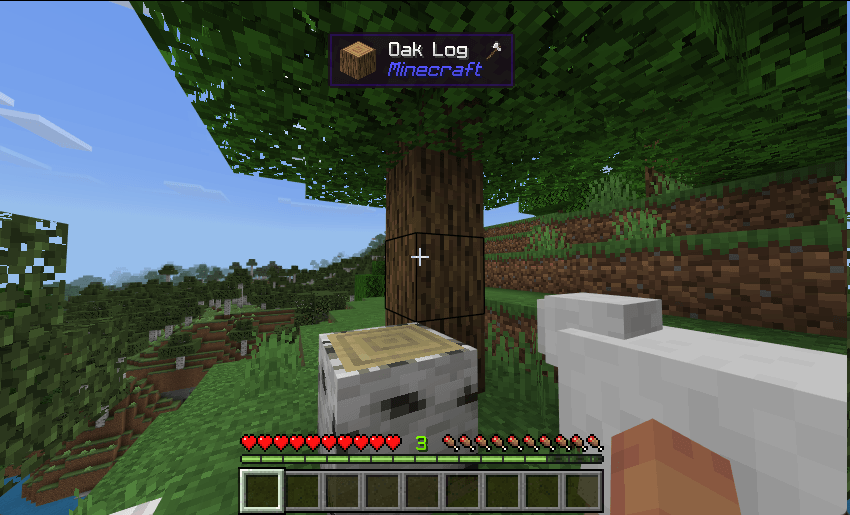
Upon starting your world, there is no further setup required, you punch a tree — but before you do, you’ll immediately notice the display:
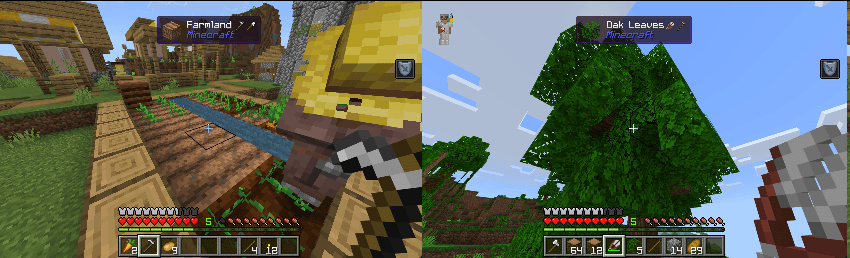
This display also supports displaying multiple tools you can use to interact with or efficiently break a block:
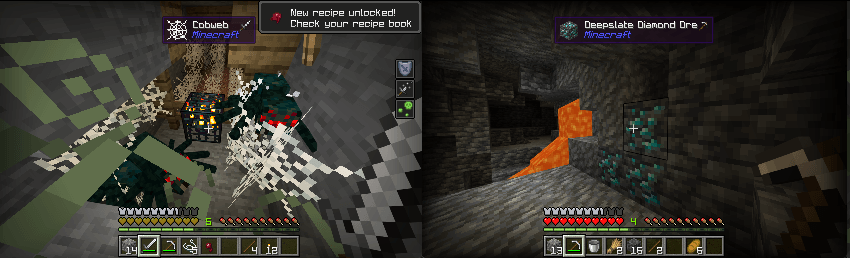
Very useful and practical for mining as well:
Entities
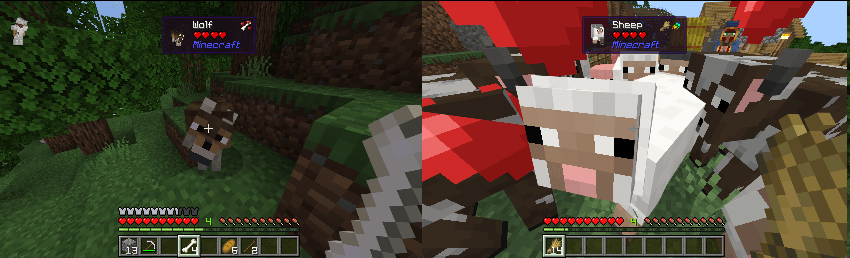
The Add-On also supports displaying entities. For instance, you can check on your companions health:
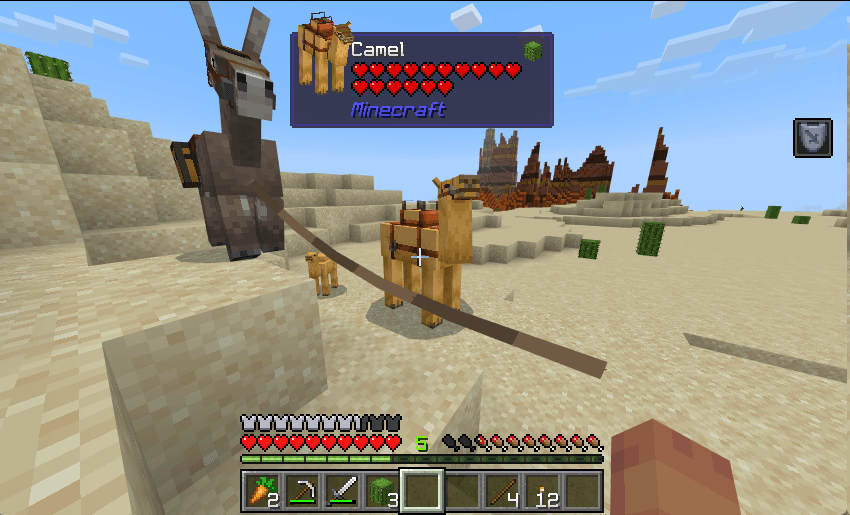
You can also view what items you can use to interact with the entity:
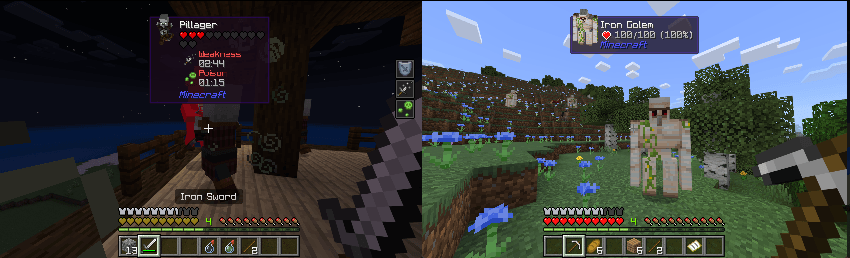
Other miscellaneous properties are also displayed depending on the current status of the entity:
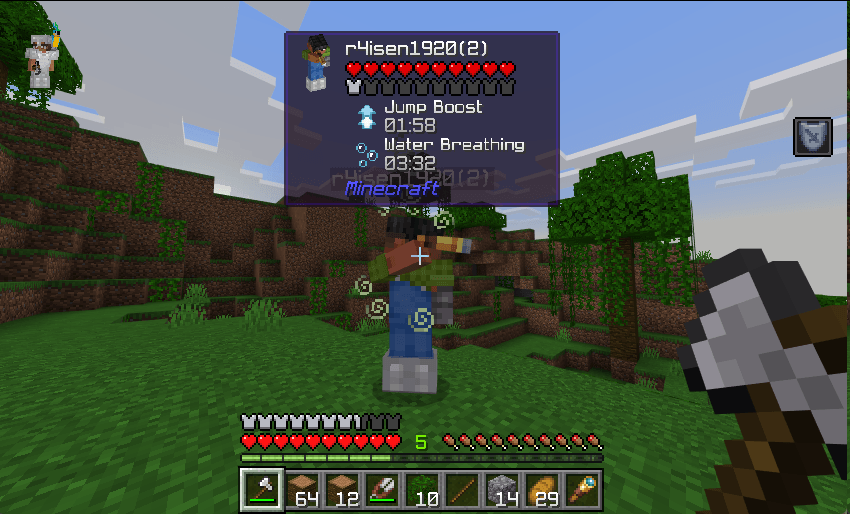
You can also check on other players:
Installation Notes
For the best gameplay experience, please take note of these before attempting to download the pack:
- This Add-On works in multiplayer.
- For Aternos, please refer to instructions here.
- You need to have an active Realms subscription to use this in Realms. To install on Realms, please check on Minecraft’s website.
- Or locally via Wi-Fi or LAN.
- This Add-On does not modify the player.json. So it should work with other Add-Ons.
- This Add-On only supports Bedrock 1.20.80 or higher.
- This Add-On does not require any experimental toggle.
License & Usage
This Add-On is under MIT License. If you wish to attribute this work into your own, please refer to the license accordingly.
Copyright 2024 r4isen1920

Permission is hereby granted, free of charge, to any person obtaining a copy of this software and associated documentation files (the “Software”), to deal in the Software without restriction, including without limitation the rights to use, copy, modify, merge, publish, distribute, sublicense, and/or sell copies of the Software, and to permit persons to whom the Software is furnished to do so, subject to the following conditions:
The above copyright notice and this permission notice shall be included in all copies or substantial portions of the Software.
THE SOFTWARE IS PROVIDED “AS IS”, WITHOUT WARRANTY OF ANY KIND, EXPRESS OR IMPLIED, INCLUDING BUT NOT LIMITED TO THE WARRANTIES OF MERCHANTABILITY, FITNESS FOR A PARTICULAR PURPOSE AND NONINFRINGEMENT. IN NO EVENT SHALL THE AUTHORS OR COPYRIGHT HOLDERS BE LIABLE FOR ANY CLAIM, DAMAGES OR OTHER LIABILITY, WHETHER IN AN ACTION OF CONTRACT, TORT OR OTHERWISE, ARISING FROM, OUT OF OR IN CONNECTION WITH THE SOFTWARE OR THE USE OR OTHER DEALINGS IN THE SOFTWARE.