GUI Retextures – Bedrock Edition

GUI Retextures – Bedrock Edition

This is a small pack made to make Minecraft’s GUIs look a bit more vibrant and interesting originally made by frugbug for Java Edition, and ported to Bedrock by me.

Requires at least version 1.18

(Custom GUI example using the inventory, same background is applied to every container in game)

This pack is intended to be used with the Classic UI. If you use the Pocket UI, most GUIs will remain unchanged

Spoiler

Owner’s permission:

(here I didn’t know how to edit GUIs, but now they look just like the original pack!)


Glowing Armor

Glowing Armor

Get ready to transform the way you view your armor in Minecraft Bedrock! With the new texture, the details of the armor gain an incredible glow in the dark, bringing a magical and immersive feeling to your game. Whether exploring shadowy caves or facing mobs at night, your armor will stand out like never before, lighting the way and ensuring you’re always in the spotlight.

With this new pack, your vanilla Minecraft will be more alive! You can customize your armor with any decoration, they will all shine!

Before

After

Items Reimagined | Texture Pack

Items Reimagined | Texture Pack

Items Reimagined 3D  | Texture Pack

Have you ever wanted to have something more than simple pixels as your pickaxe of all life, or your most reliable sword? Well I do, and several times and if you too this pack is for you. After a lot of work I brought 3D weapons for Minecraft Bedrock! Each tool has its own individual 3D model, none of them are repeated, Hope you enjoy! New 3D Tools for your Minecraft worlds, pickaxes, shovels, hoes, swords and axes each with their respective 3D model, each of them well worked and developed. Up to 30 models added to the game!!

•Notes:

  • This pack does not cause lag, so don’t worry about that.
  • This is a texture pack, not an add-on or mod, so you can use it on server, realms or survival orlds without any problem.

•Terms of Use:

What you can do:

  • Showcase this texture pack in any video as long as I RenKo am credited properly with MCPEDL link or Linkversite link.
  • You can modify this texture pack for Private use.
  • Share this texture pack using MCPEDL link.

What you can’t do:

  • Claim this pack as yours.
  • Steal the code for any addon or texture pack.
  • Modify the pack for Public use.
  • Upload it on any third  party side.
  • Shocase or use the pack without proper credits.
  • Use mediafire or direct link to the download.

If you break I will take measures for this

Thanks for downloading!

How Is It Installed?

  1. Download the file from the bottom. After you have downloaded files, tap on each one and it will automatically take you to your Minecraft, it will import the file into your game.
  2. Then go to the world where you are going to use the downloaded addon: Edit the world> resource packs> (Activate the resource pack) and finally: Edit the world> behavior packs> (Activate the behavior pack)

Download

VERSIONDOWNLOAD
v.1.0 (Recommended)???? Download (linkversite)
???? Discord Server (spanish-speaking)
__ESK PACK__

__ESK PACK__

_ESK PACK_

Hello 😀 with this texture pack I do not pretend that it is the most downloaded or the best known, it is only how I would like minecraft to be.

Add a new texture to steve, the color of the diamond is now purple the iron is darkened the endes pearls are modified as well as the ender eye and ender chest.

Alex’s texture is changed and in a subpack a layer is added, in another a life indicator and in another a new animation when a block is broken

If you want to use a texture from this pack, ask for permission in the comments 😀

Do not claim that this pack is yours.

How Is It Installed?

  1. Download the file from the bottom.
  2. After you have downloaded the files, tap on each one and it will automatically take you to your Minecraft, it will import the file into your game.
  3. Then go to the world where you are going to use the downloaded addon: Edit the world> resource packs> (Activate resource pack).

Resolution

X16

Download

Better Spyglass

Better Spyglass

Better Spyglass (UI Update)

This pack will make Spyglass look better and more modern​ in your game. The pack can be used with other pack as it only changes the spyglass texture and  models. 

New Spyglass Models

New Spyglass Item Texture

Spyglass In Third-Person

Spyglass in First-Person

New Spyglass UI V2

New Spyglass UI V1 (Previous Version)

New Spyglass Clean UI

Original Vanilla Spyglass UI

  • You can change UI by click on ⚙ (Settings Button)

This is my first submission, feel free to use.

Thank you!

How Is It Installed?

  1. Download the file from the bottom. After you have downloaded files, tap on each one and it will automatically take you to your Minecraft, it will import the file into your game.
  2. Then go to the world where you are going to use the downloaded addon: Edit the world> resource packs> (Activate the resource pack) and finally: Edit the world> behavior packs> (Activate the behavior pack)

Compatible Versions

  • 1.16.100 or higher
  • 1.16 BETA
  • 1.17

Download Addon

REX TexturePack

REX TexturePack

REX TexturePack

This is my texturepack, both aesthetically and technically, its use is to facilitate the gameplay within Minecraft, and giving legal advantages within the game, it also has the option of being an optimizer!

Now the interface will be completely transparent!

  • The classic interface.
  • The pocket interface.

2. Some mobs will glow in the dark, to be light, just the eyes.

  • Spiders and another variant.
  • Skeleton and another variant.
  • Zombie and another variant.
  • And the Creeper!

3. Spawn Sphere!

  • It only works if you equip a brownstone torch to an armor holder, as shown below.

4. Now the shield is less annoying when it comes to having it in hand, since the size has been reduced.

5. Clean screen.

  • In the pocket edition I have absolutely cleaned the controls to move, crouch and jump for a better visualization of the environment
  • I also cleaned the part of the emote, chat and pause buttons, I left a part of each one to locate them.
  • The hearts are now the typical “hardcore” java.
  • Clean experience bar.
  • Coordinates that show you what the ‘X’, ‘Y’ and ‘Z’ are.
  • Smallest split screen pointer

6. Improved Netherite tools.

7. Aesthetic Netherite armor and different flare of enchantments.

8. All variants joining for improved Redstone mechanisms.

  • Hoppers, pistons etc.

9. Clean crystals except transparent

10. “Optimizer” option

• eliminates absolutely all particles.

• the other option is the default, it does not remove any particles.

11. Finally aesthetic changes.

  • All the crops will show you exactly when they are ready, the green signal is the one that indicates that the crop can be taken.
  • For further optimization the tree leaves are now not semi-transparent.
  • For further optimization, the grass blocks will be clean.
  • Anvils with durability sign.
  • Spawn block in the Nether with signals.

Resolution

X16

How Is It Installed?

  1. Download the file from the bottom.
  2. After you have downloaded the files, tap on each one and it will automatically take you to your Minecraft, it will import the file into your game.
  3. Then go to the world where you are going to use the downloaded addon: Edit the world> resource packs> (Activate the resource pack) and finally: Edit the world> behavior packs> (Activate the behavior pack)

Credits

If you want to review my texture pack, give me credits, some will confuse the Netherite textures, but they are mine.

Download

Pirate Swords Texture Pack

Pirate Swords Texture Pack

Pirate Swords Texture Pack

Hi! Its me again with another nice submission and texture, ever wanted to make swords look like those pirate swords seen in some movies? Well, if you do then this pack is for you! This pack makes every single sword have this nice look! 

It can be used for tweaking Minecraft vanilla!

It should have this sharp edge with a really nice form, also it looks really nice and works with the normal tools in mc

This is a little representation i made, for having a closer look at those shiny and precious swords!

even the netherite sword has changed! This really can make swords have a nicer look!

And another one just for you to look at it, this texture could be used for adventure maps, survivals, ocean and pirate related cinematic or just to play with it for fun!

So….yeah, in-game, it just looks nice!

Every sword has changed, from the weakest one to the strongest, this means you can have every sword in-game look nice!

Hope you like it! I got a direct link because for now, i don’t really need supporting, so yeah! Its a easy  install.

Resolution

X16

How Is It Installed?

  1. Download the file from the bottom.
  2. After you have downloaded the files, tap on each one and it will automatically take you to your Minecraft, it will import the file into your game.
  3. Then go to the world where you are going to use the downloaded addon: Edit the world> resource packs> (Activate the resource pack) and finally: Edit the world> behavior packs> (Activate the behavior pack)

Download

Loled’s Texture – Alpha version 1.0

Loled’s Texture – Alpha version 1.0

Loled’s Texture – Alpha version 1.0

Loled’s Texture is a realistic texture for Minecraft Bedrock Edition 1.16.221 Official and for beta versions

This is still an alpha version, so it’s normal that everything isn’t ready, in the next versions the texture will have 3D modeling in the entidates, in addition to new textures for more blocks and itemshttps://a28fbbc165294aad58d784483340b2ae.safeframe.googlesyndication.com/safeframe/1-0-38/html/container.html

Loled’s Texture, in addition to bringing new textures, also brings more realistic sounds to the game.

The texture also changes the game’s start screen.

 Environment
     –  Realistic clouds, sun and moon.

Especial Block.
     –  3D Bed.
Hud:
     –  Hotbar has no opacity and no classic button.

Hud:
     –  New start screen.
Texture:
     –  Transparent water.
     –  Texture of blocks and entities modified and saturated.
     –  Detaileds tools.
     –  Modified armor.
     –  Optifine grass.
Realistic sounds

Installation

Download the .mcpack file


Activate the texture in the global resources of the game
And have fun

Resolution

X16

How Is It Installed?

  1. Download the file from the bottom.
  2. After you have downloaded the files, tap on each one and it will automatically take you to your Minecraft, it will import the file into your game.
  3. Then go to the world where you are going to use the downloaded addon: Edit the world> resource packs> (Activate the resource pack) and finally: Edit the world> behavior packs> (Activate the behavior pack)

Download

VanillaKawaii Texture Pack

VanillaKawaii Texture Pack

VanillaKawaii Texture Pack

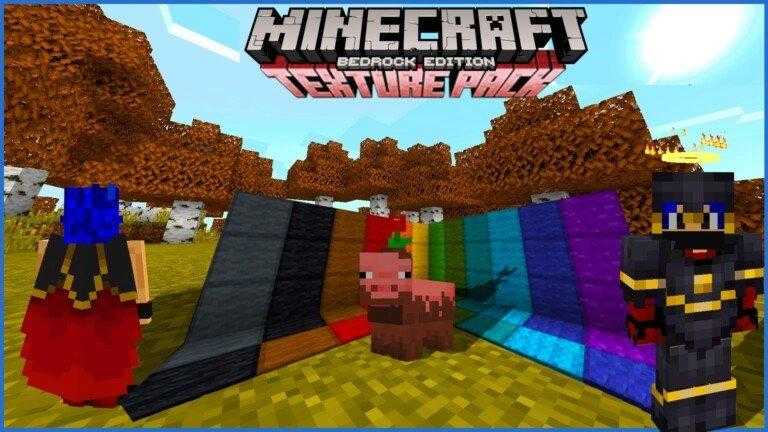
Vanilla Kawaii is a texture created by me (TheNeitorLoL) at the moment it is only for Bedrock but in the future it will be made the same for Java, This texture brings very Venilla things as the name says but more striking and beautiful so that it can be certain degree 😀

Compatible for all editions of bedrock is Full FPS since it is a Vanilla texture but with small touches.

TEXTURE CREATOR CHANNEL: https://www.youtube.com/c/TheNeitorLoL

Texture Description

PLUS THINGS! OF THE TEXTURE

A small detail of a Halo that is floating on the head, (you can only see it, not the other players) 🙁

INVENTORY!

It is something that works a lot since it will let you see the blocked trades of the villagers

Also the potion tables brings the most useful of all since it shows us a guide on how to make potions correctly

BIOMES!

It is something very exclusive and that has very rarely been seen and it is to modify the color tone of the biomes and the Trees obviously

THE FIR TREE

It is the tree with orange leaves, usually you will always see it like this

THE FIR BIOME IS THE ONE THAT CHANGES THE MOST OF ALL!

Give that orange touch, Fall Type: D

Here are some examples in images:

NEVADA MOUNTAIN BIOME

In this biome all the trees turn orange except the birch one, since normally the Snowy biomes are birch trees so so that the touch is not lost I have decided to leave it green (Defaul) but the other trees do change. color (ONLY IN SNOWY BIOMES) in their corresponding biomes are green.

SWEET BERRIES

It has 4 levels of growth, It is useful enough to know when they are ripe and in plain sight it looks very beautiful.

CRISTALS

They have a more colorful touch and without a doubt it makes the constructions look more alive.

SOME IMAGES

And well this is a simple sample of what the texture brings!

As there are also new animations on villagers, golems and phantoms.

Also new textures in blocks, mobs, animals, items, etc.

Resolution

X16

How Is It Installed?

  1. Download the file from the bottom.
  2. After you have downloaded the files, tap on each one and it will automatically take you to your Minecraft, it will import the file into your game.
  3. Then go to the world where you are going to use the downloaded addon: Edit the world> resource packs> (Activate the resource pack) and finally: Edit the world> behavior packs> (Activate the behavior pack)

Credits

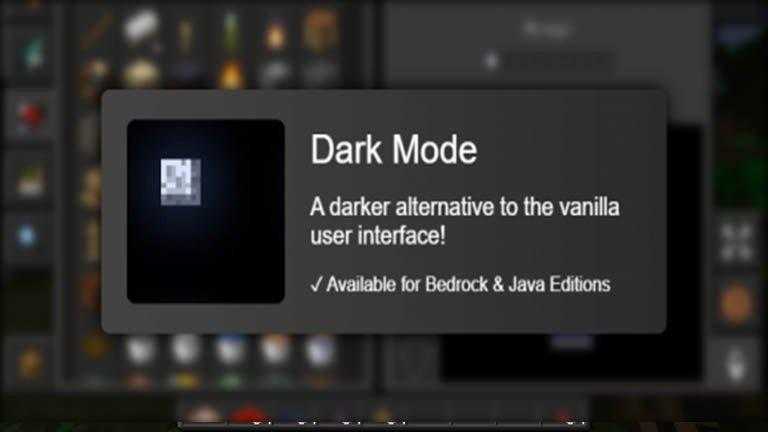
Dark Gui: https://github.com/Offroaders123/Dark-Mode By Offroaders123

Download

Better Green Screen & Blue Screen

Better Green Screen & Blue Screen

Better Green Screen & Blue Screen

A better texture pack for chroma key in Minecraft since the blocks used admit light!

Using Glowstone and Sea Lanterns make the green screens and blue screens better because they help prevent strong block shadows, they work without needing a light source, and they have a stronger look.

Resolution

X16

How Is It Installed?

  1. Download the file from the bottom.
  2. After you have downloaded the files, tap on each one and it will automatically take you to your Minecraft, it will import the file into your game.
  3. Then go to the world where you are going to use the downloaded addon: Edit the world> resource packs> (Activate the resource pack) and finally: Edit the world> behavior packs> (Activate the behavior pack)

Download

Privacy Overview

This website uses cookies so that we can provide you with the best user experience possible. Cookie information is stored in your browser and performs functions such as recognising you when you return to our website and helping our team to understand which sections of the website you find most interesting and useful.