
Screenfy's Modern Furniture Pack (Survival Supported!)

The sequel to the original pack, with improvised textures, even more detailed models,provides various choices to use and much more. This might be the best furniture pack in the century! Also, I added Modern in the title even though I don't regard all of my furniture as modern cause everyone loves anything that has the word "Modern" in it, so lol.
This addon is exclusive for MCPEDL. Any other websites that distribute this addon without my approval are false and are an act of plagiarizing.
Add-on contents
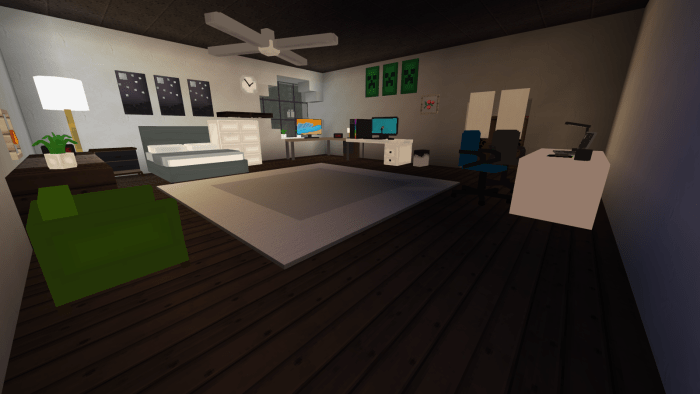
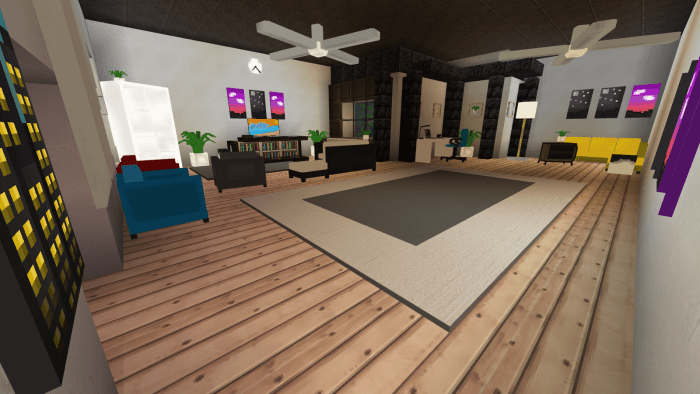
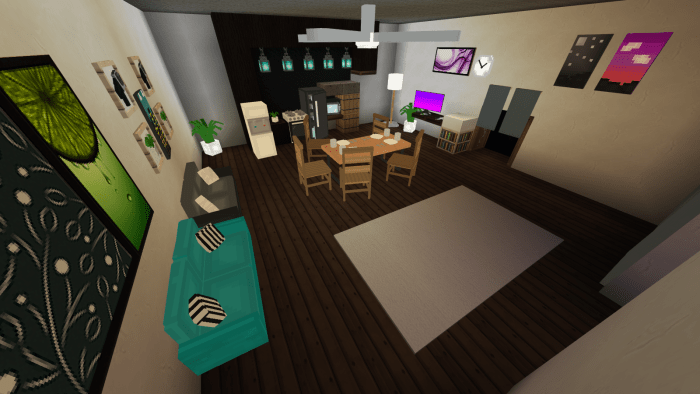
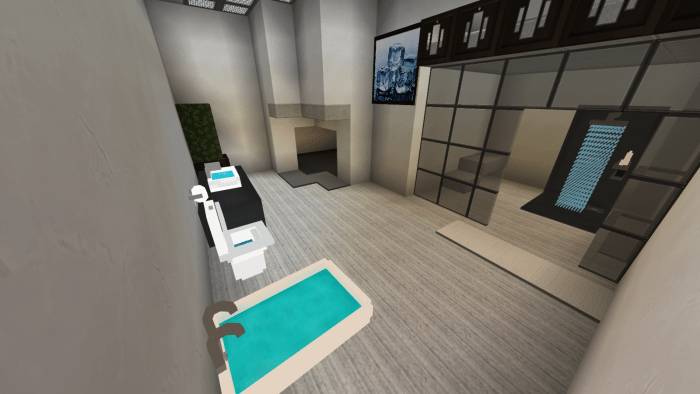
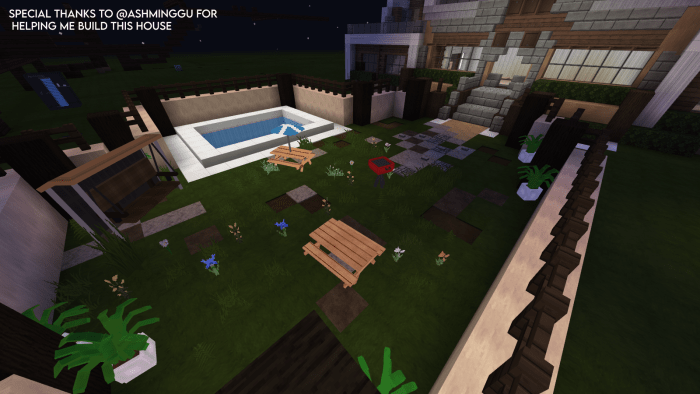
This addon includes more than 20 furniture pieces
LIST OF FURNITURE PIECES INCLUDED (Updated)
• Bathtub
•BBQ Grill
•Two Variants of beds
•Two variants of modern beds
•One-Person Couch (Four colours)
•Two-Person Couch (Three colours)
•Corner couch (Two Colours) (More colours will be added)
•Study Desk
•Gaming Setup
•Gaming Chair
•Dining Chair
•Dining Table
•Digital Clock
•Drawer
•L Table
•Fridge
•Indoor Plant
•Mini Indoor Plant
•Lamp
•Mini Lamp
•Microphone
•Modern Shower
•Modern Sink
•Office Chair (Two colours)
•Picnic Table (One with and one without an umbrella)
•Shelf
•Stove
•Toilet
•Toilet Roll
•Trash Bin
•Monitor
•Water Dispenser
•Paintings (4 varieties) (More will be added soon)
•Wall Clock
•Modern Swing
•Dumpster
How to obtain
Can be obtained through the creative inventory and also through commands. Example; /give @s sf:bbqgrill
Contacts:
If you have any issues, feel free to contact me!
Twatter: ihatescreenfy
Discord: screenfy#6663
Email: mghqplayz@gmail.com
Original furniture pack (aka the version 1): Click here lul
NOTE:
If you would like the shadows of the furniture pieces to be invisible, head over to video settings, and disable "Fancy Graphics".
(4th May 2021 Update:)
Here's the list to all the recipes for the furniture:
https://imgur.com/a/XPfZ8dT
I will be updating the add-on every 1-2 weeks so expect an update within those time periods!
Special thanks to:
Ashminggu and Kraftoid
How Is It Installed?
- Download the file from the bottom. After you have downloaded files, tap on each one and it will automatically take you to your Minecraft, it will import the file into your game.
- Then go to the world where you are going to use the downloaded addon: Edit the world> resource packs> (Activate the resource pack) and finally: Edit the world> behavior packs> (Activate the behavior pack)
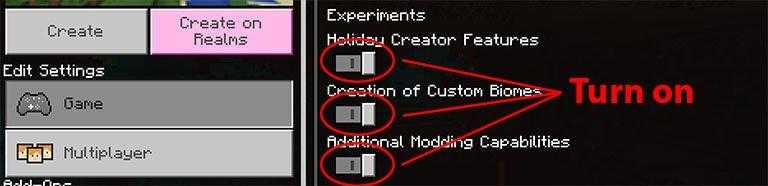
Requires Experiments
Compatible Versions
- 1.16.100 or higher
- 1.16 BETA
- Doesn´t works on another version
Credits
Mcpedl Page: https://mcpedl.com/more-mob-totems-addon/