

Have you ever wanted to play a survival challenge where you and your friends share everything? With the Linked Inventories Addon, you can link up with one or multiple players to share a single inventory in real-time!
If you pick up a diamond, your friend gets it instantly. If your friend equips armor, you wear it too. Perfect for cooperative survival, specialized challenges, or chaos with friends.
✨ Key Features
- ⚡ Real-Time Sync: Inventory creates a "ghost link" that updates every single tick. No delay.
- 🛡️ Full Equipment Sync: It doesn't just share items! It syncs Armor (Helmet, Chest, Legs, Boots) and the Offhand slot.
- 👥 Multi-Player Groups: Link 2 players, 3 players, or the whole server!
- 💀 Death Persistence: If you die, you stay linked. Your friends can save your items, or you can all lose them together!
- 🔌 Offline Support: If a linked player disconnects, the link pauses and automatically resumes when they rejoin.
- 🖥️ Easy UI System: No complicated commands. Everything is handled through a simple User Interface.
How It Works
- Get the Linker:Use the command:
/give @s linked:inventory- (Or find it in the Creative menu if you added it there).
- Open the Menu:
Right-Click (or hold screen) with the item to open the UI. - Send a Request:
- Select "Create/Join Link Group".
- Choose a player from the list.
- Accept & Play:
- The other player will get a pop-up request. Once they click Accept, your inventories are instantly merged!
Screenshots
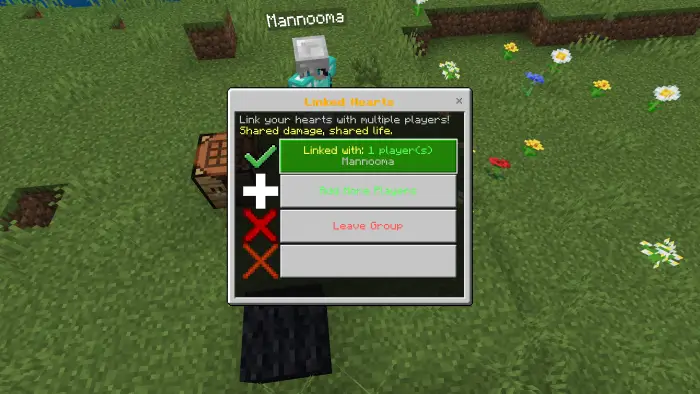
Manage your group easily with the custom UI.
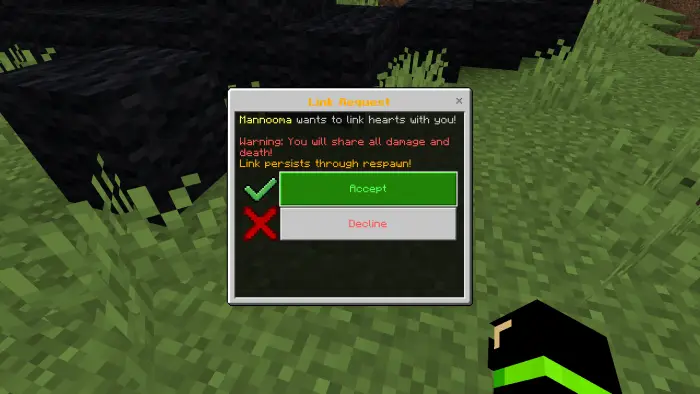
Installation & Requirements
⚠️ IMPORTANT: This addon uses the Minecraft Script API. You MUST enable the following Experimental feature in your world settings:
[x] Beta APIs
Installation Steps:
- Download the
.mcpack. - Open the file to import it into Minecraft.
- Apply the Behavior Pack to your world.
- Enable "Beta APIs" in Experiments
Download Addon
| VERSION | DOWNLOAD |
| v.1.2 (Recommended) | Linked Inventories (208 downloads ) |