The totem is an extremely useful item in the game, when held in the hand, if the user dies, it will automatically replace the player’s life with it, but this forces the user to hold it in his hand. But with this addon it is different…
This addon offers an incredible twist – you don’t need to hold a totem in your hands anymore! Just hold the totem in your pocket, when your life is threatened, it will automatically be summoned to protect you from death!
Download the file from the bottom. After you have downloaded files, tap on each one and it will automatically take you to your Minecraft, it will import the file into your game.
Then go to the world where you are going to use the downloaded addon: Edit the world> resource packs> (Activate the resource pack) and finally: Edit the world> behavior packs> (Activate the behavior pack)
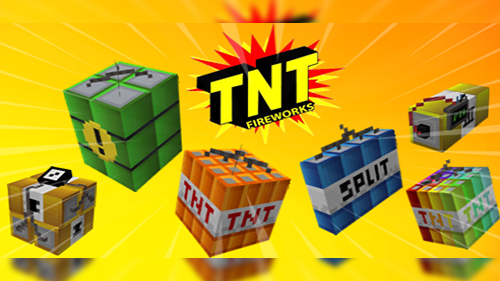
Master TNT Addon, the ultimate explosive experience for Minecraft! This explosive addon brings a variety of new TNT types to your world, each with its own unique abilities and destructive power. Are you ready to unleash chaos like never before? Activate both the resource pack and behavior pack to experience this mind-blowing addition to your Minecraft world.
The TNT´s
Fire TNT:
Burn everything in its path! The Fire TNT will ignite blocks and mobs, leaving a fiery trail of destruction wherever it goes. Perfect for clearing forests or lighting up the night.
World Destroyer TNT
When you need to flatten the landscape, the World Destroyer TNT is your answer. This explosive has a massive blast radius that can reshape your world with a single detonation. Beware of its incredible power!
Ultimate TNT:
The name says it all. The Ultimate TNT is the most potent explosive in this addon, capable of obliterating anything in its path. Use it with caution; its power is unmatched.
Super TNT:
Looking for a bit of extra oomph? The Super TNT is a balanced choice, offering a satisfying explosion without going overboard. A reliable option for controlled chaos.
Rainbow TNT:
Bring a splash of color to your explosions! The Rainbow TNT creates a vibrant burst of colors when detonated, turning your destructive adventures into a colorful spectacle.
Reverse TNT:
Reverse the effects of destruction with the Reverse TNT. When ignited, it magically reverts the terrain and structures back to their original state. Great for those “oops” moments!
Mega TNT:
If you thought the World Destroyer TNT was impressive, the Mega TNT takes destruction to a whole new level. This colossal explosive will leave nothing standing in its wake.
ACTIVATE BOTH PACKS
How Is It Installed?
Download the file from the bottom. After you have downloaded files, tap on each one and it will automatically take you to your Minecraft, it will import the file into your game.
Then go to the world where you are going to use the downloaded addon: Edit the world> resource packs> (Activate the resource pack) and finally: Edit the world> behavior packs> (Activate the behavior pack)
Update Changelog
Added two new powerful TNT variants: MegaBoom TNT and Inferno TNT.
MegaBoom TNT creates a massive explosion, perfect for terraforming or clearing large areas.
Inferno TNT unleashes a fiery explosion, causing damage over time and leaving a trail of flames.
Tweaked the crafting recipes for MegaBoom TNT and Inferno TNT to maintain game balance.
Improved TNT textures for a more visually appealing experience.
Optimized TNT detonation effects for better performance.
Fixed a bug where TNT explosions were not causing damage in certain situations.
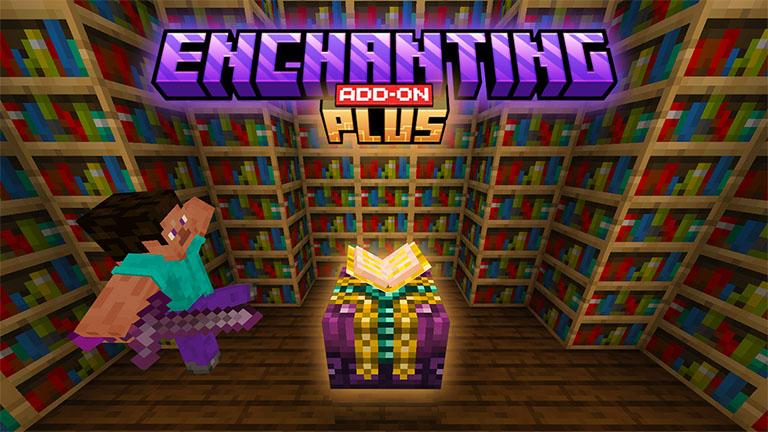
This addon adds a new enchantment table to the game, when clicking on a book, an interface will open showing the available enchantments.
To get any enchantment, you need to have at least 8 xp levels. for each enchantment level, 8 xp levels are required, that is:
To obtain any level 1 enchantment, you need to have 8xp levels.
To get the new enchanting table you will need to:
To get any level 2 enchantment, you need to have 16xp levels; so on…
Available enchantments:
Sharpness 1-10
Efficiency 1-10
Fortune 1-10
Fire aspect 1-5
Protection 1-10
Looting 1-5
Unbreaking 1-10
Here you have a quick look about table interface, you just need to interact with it.
How Is It Installed?
Download the file from the bottom. After you have downloaded files, tap on each one and it will automatically take you to your Minecraft, it will import the file into your game.
Then go to the world where you are going to use the downloaded addon: Edit the world> resource packs> (Activate the resource pack) and finally: Edit the world> behavior packs> (Activate the behavior pack)
Do you want to see the splash effect in the 1.18 trailer in the game? This Add-on adds a similar effect to the splash effect of the trailer! CAUTION: Can stop working if too many mobs fall into the water at the same time.
When you apply add-on and open the map, you have to enter /function start and wait for 1 to appear in the chat window. If 1 appears in the chat window, the setting is all done.
Caution: The /function start command should be used only once.
In order for the splash effect to appear, it must fall from about 3~4 blocks high toward the water.
(Splash effect)
(Lava Splash effect)
bugs can occur in multi-play.
Lava Splash only applies to players and some mobs.
Known bug : Addon is not working in nether dimension
Download the file from the bottom. After you have downloaded files, tap on each one and it will automatically take you to your Minecraft, it will import the file into your game.
Then go to the world where you are going to use the downloaded addon: Edit the world> resource packs> (Activate the resource pack) and finally: Edit the world> behavior packs> (Activate the behavior pack)
Cape Physics Minecraft capes are one of the first cosmetics in the game starting from humble beginnings, such as the Minecon 2011 to fully customizable capes for both the Java Edition and the Bedrock Edition versions of Minecraft.Customizable capes in Minecraft are fairly common nowadays, harboring multiple designs that make them all unique. There was only one thing that you could change to a cape, and that being customization, but what if there was another. A couple of days after Badlion Clients release, they made an update to capes, one of the features “Dynamic Curved” where your cape would look like it’s waving in the wind as to move.
Cape Physics is an add-on that replaces the stiff cape animations with an animation that will allow your cape to flow freely.
There are 17 parts to the cape with a powerful animation behind it to make it flow perfectly. This pack also works with normal capes along with Xatalyst’s Badlion Cloaks and Cosmetic Mod V2 packs.
Shoulders
Just like Badlion Client this pack also allows you to toggle shoulder pieces that go on each side of your character adding a better look to your cape along with the wave.
?nbsp;
The pack additionally comes with Cosmetic Mixer V19 and above support, full server compatibility, realm support, and this pack will apply to everyone.
TERMS OF USE:
Please do not claim you made it or make another download link/make profit via the new download link.
Download the file from the bottom. After you have downloaded files, tap on each one and it will automatically take you to your Minecraft, it will import the file into your game.
Then go to the world where you are going to use the downloaded addon: Edit the world> resource packs> (Activate the resource pack) and finally: Edit the world> behavior packs> (Activate the behavior pack)
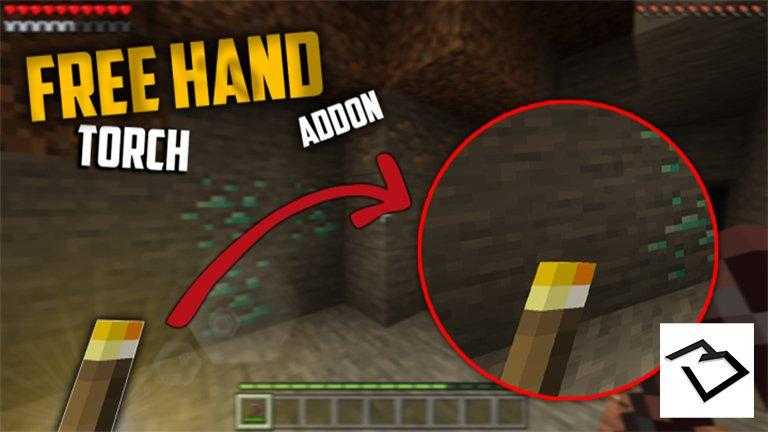
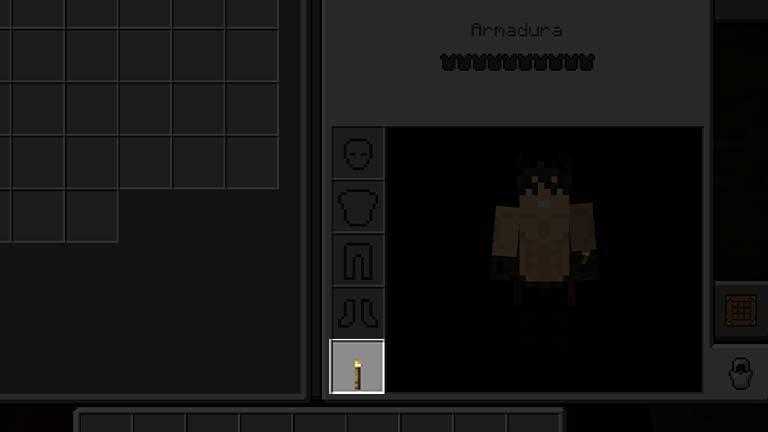
At last we can have the functionality of lighting with the left hand in Minecraft Bedrock for this we are going to occupy a torch that allows us to illuminate wherever we have it in both the main and secondary hands.
How does it works?
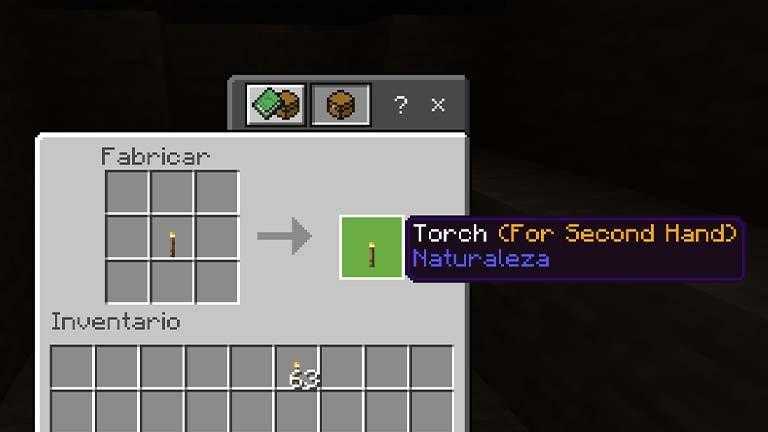
Torch For Second Hand
We add a special torch that is achieved in the following way.
To place it you just have to take the special torch and place it where the shield goes.
Invisible torch
We addon a new torch for people who hate to have a lot of torches in the world, you can get invisible torch with the following recipe.
Here you can see difference between vanilla torch and invisible torch.
You Can’t Post This Addon on Another Website, this is just for Universe Bedrock.
Video (Spanish)
https://youtu.be/Tz-ZqsCCPHY
How Is It Installed?
Download the file from the bottom. After you have downloaded files, tap on each one and it will automatically take you to your Minecraft, it will import the file into your game.
Then go to the world where you are going to use the downloaded addon: Edit the world> resource packs> (Activate the resource pack) and finally: Edit the world> behavior packs> (Activate the behavior pack)
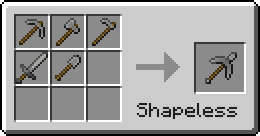
¿Necesita más espacio en el inventario? ¿No quieres cambiar entre herramientas para romper bloques fácilmente? Entonces necesitará este complemento que agrega AIOTs (All In One Tool) , combina todas las herramientas en una sola herramienta.
Este complemento agrega nuevas herramientas que pueden realizar las funciones de todas las herramientas.
AIOT (Todo en una herramienta) puedes usarlo como espada, pico, hacha, pala y azada.
Puedes usarlo en la lucha como espada, puedes minar con él como pico, puedes romper la madera con ella como hacha, puedes romper los bloques que la pala, puede romper con AIOT, y puedes hacer tierras de cultivo con él como azada.