This is version 2.0 of the original “Trains! Addon steam edition“, with custom craftable trains, new recipes, 8 different color options, and a more improved way of connecting the compartments! Also this time it doesn’t replace minecarts 😀
How to use:
1. Craft and place down the Engine. (recipes are down below, or watch the video) 2. Ride and move forward to adjust the engine’s orientation. 3. Craft the couplers. 4. Crouch and interact with the couplers to spawn a connected carriage or cargo. 5. Repeat step 3 and build your train! 6. Crouch and interact with dyes to color the engine, carriages and cargos. There are total 8 colors available. 7. Ride the engine and move forward, all connected carriages and cargos will move along. Congratulations you just built your first train!
Recipes:
Bugs and limitations:
1. Random animation glitches at 1st person view 2. Train can’t climb up slopes 3. Leashes are invisible
Download the file from the bottom. After you have downloaded files, tap on each one and it will automatically take you to your Minecraft, it will import the file into your game.
Then go to the world where you are going to use the downloaded addon: Edit the world> resource packs> (Activate the resource pack) and finally: Edit the world> behavior packs> (Activate the behavior pack)
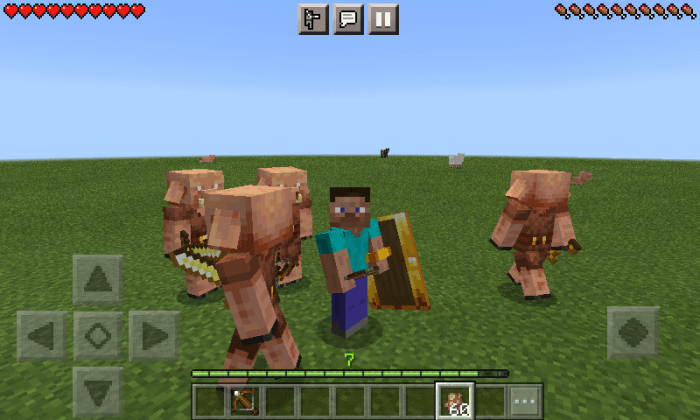
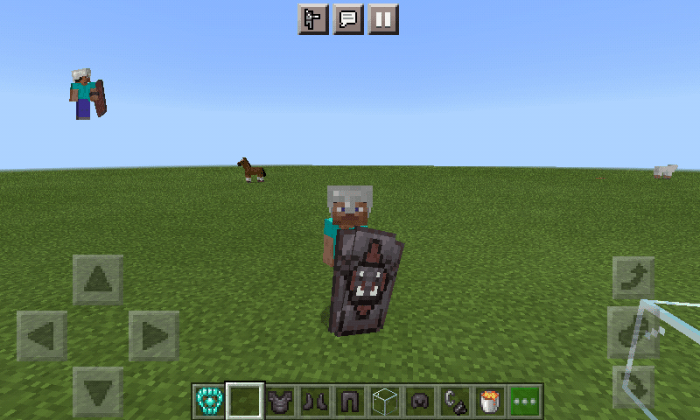
Are vanilla shields boring?, this addon is for you, this addon adds 6 new shields, are very similiar to the vanilla shields, and some shields have a special abilities.
How does it works?
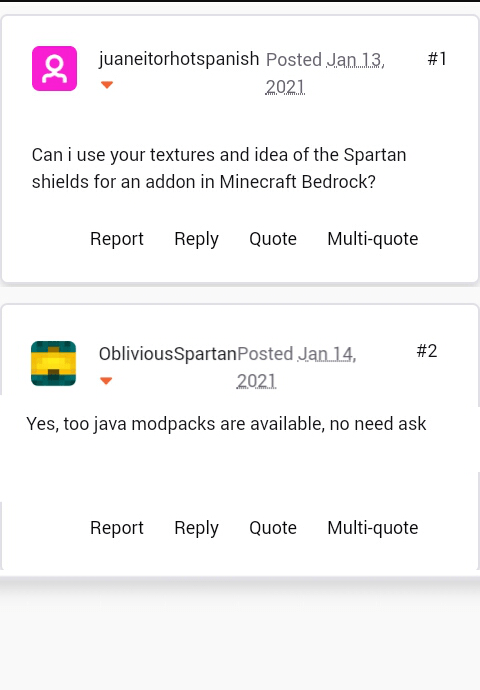
This addon is an idea and concept of the Java mod, “Spartan Shields”. Java creator: Oblivious spartan (https://www.curseforge.com/minecraft/mc-mods/spartan-shields)
If you are in creative, use the function “/function spartan”, for get all shields
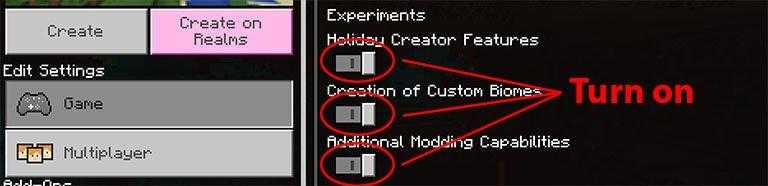
You need enable HOLIDAY CREATOR FEATURES, They work like Vanilla shields, You’ll not get damage only if you see the target/damager/projectile(Like vanilla shields).They protect you of explosions.The targets/projectiles/damagers can damage you if they are behind you. Unlike other addon that add shields, these shields protect you from targets/projectiles that cause damage effect, e.g. husks (Hunger), cave spiders (Poison), bees (Poison) and projectiles like arrows (Potion effects); It will also give the targets/damagers knockback.
However, the only difference they have to those of vanilla, is the wear, these shields will break from a probability system, ie when the shield receives a damage from some target/projectile, there will be a probability that the shield will break completely. Depending on the material of the shield, the probability decreases, making it almost null in the case of netherite shields and obsidian shields.
Order of importance: -the order of importance is the same as the vanilla shields, when you have a shield (Of this addon) in you main hand, the shield will be charged. But if you also have a shield (Of this addon) in you off hand, the shield in you off hand will be charged. But to avoid mixing, the normal shields are more important, that is, if you have a shield of this addon equipped in the second hand, and also a normal shield in you main hand, the shield in you main hand will be charged.
Are enchantabes, only work in your mainhand, compatible emchantments are swords’ enchantments e.g(fire aspect, knockback,smite,etc) all shields are enchantables except the wood shield.
Every shield have a random value of repair (30-45), wood shield is repaired with planks, stone shield is repaired with cobblestone, gold shield is repaired with gold ingots or gold nuggets, iron shield is repired with iron ingots or iron nuggets, diamond shield is repaired with diamonds, obsidian shield is repaired with obsidian and netherite shield is repaired with netherite ingots.
Wood shield:
–Very worse, just use it to craft other shield (This shield isnt enchantable).
Stone shield:
Probability of breaking (Very high) its worse than a normal shield.Recipe
Gold shield:
Probability of breaking (High), the piglins no attack you, when you have this shield in any hand.
special ability:
When you hold this shield in your mainhand, 4 or less of life and 4 or more of xp lvl, you can use it to save your life, like a totem, just tap ur screen (android and ios) and you’ll have instant health and a message will appera for all players
Iron shield:
Probability of breaking (Normal), It’s better than a normal shield.
Diamond shield:
-Probability of breaking (Low), it’s better than a normal shield.
Obsidian Shield:
Probability of breaking (Very low), it’s better than a diamond shield.
Netherithe shield:
Probability of breaking (Very low), it’s bettet than a obsidian shield, this shield is fireproof and lava proof (Item). +0.9 of knockback resistance
How Is It Installed?
Download the file from the bottom. After you have downloaded files, tap on each one and it will automatically take you to your Minecraft, it will import the file into your game.
Then go to the world where you are going to use the downloaded addon: Edit the world> resource packs> (Activate the resource pack) and finally: Edit the world> behavior packs> (Activate the behavior pack)
Requires Experiments
Compatible Versions
1.16.100 or higher
1.16 BETA
Doesn´t works on another version
Credits
I need a person who help me to make models (Send me DM on my twitter)
Any time you like play a very difficult mode on Minecraft? Sure because this addon is for you!
When you download addon an put it on your world, you will have just one heart to survive! This means that just a knock on the floor and you will die! Beware, and this addon isn´t a extreme Minecraft mode, because you going to reappear if you die. And that´s it, here you can see just one heart on the game.
How Is It Installed?
Download the file from the bottom. After you have downloaded files, tap on each one and it will automatically take you to your Minecraft, it will import the file into your game.
Then go to the world where you are going to use the downloaded addon: Edit the world> resource packs> (Activate the resource pack) and finally: Edit the world> behavior packs> (Activate the behavior pack)
This is the best shader that currently exists for the MInecraft Bedrock platform and is called PCPE Shaders, its characteristics are impressive considering that it is a shader designed specifically for Android and IOS DEVICES.
Characteristics
Much more realistic water
Dark night with very clear water
Very high brightness
Torches illuminate perfectly
Rainy days aren’t too dark
Keep in mind that for this Shader to work perfectly you must have an Android or IOS phone that is mid-range or high-end, the requirements of your phone must be the following.
Requirements
Android 7.0 or higher
4 Gigabytes of RAM
Mid-range or high-end phones
These Shaders are specifically for Minecraft Pocket Edition which means that in Win10 and on consoles it will not work, therefore, if you have an Android you can use it perfectly as long as you meet the necessary requirements mentioned above.
Next, you have some images of the shader in different situations that can be presented within the world
How Is It Installed?
Download the file from the bottom. After you have downloaded files, tap on each one and it will automatically take you to your Minecraft, it will import the file into your game.
Then go to the world where you are going to use the downloaded addon: Edit the world> resource packs> (Activate the resource pack)
Download the file from the bottom. After you have downloaded files, tap on each one and it will automatically take you to your Minecraft, it will import the file into your game.
Then go to the world where you are going to use the downloaded addon: Edit the world> resource packs> (Activate the resource pack) and finally: Edit the world> behavior packs> (Activate the behavior pack)
Do you want to zoom in on something like all of those popular youtubers? Well have I got an addon for you! Now, with this addon you can do just that!
Scroll down for more info!
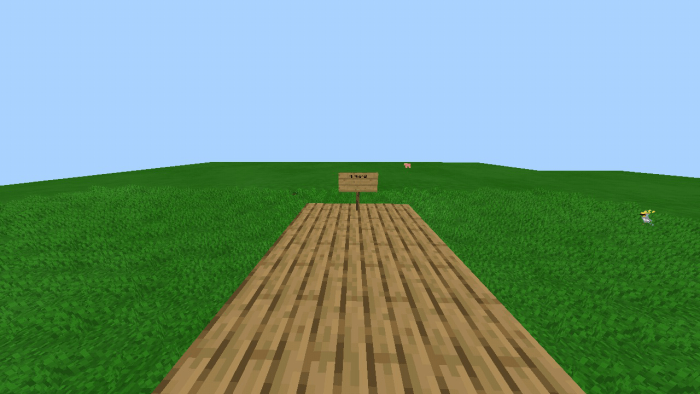
This is before, you can barely read the sign, and if you zoom in with your device you can read it, but without zooming you can’t read it!
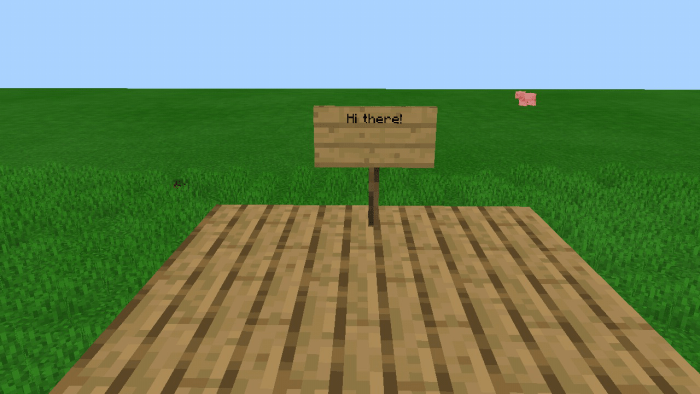
Now zoomed in, you can read it! Much better!
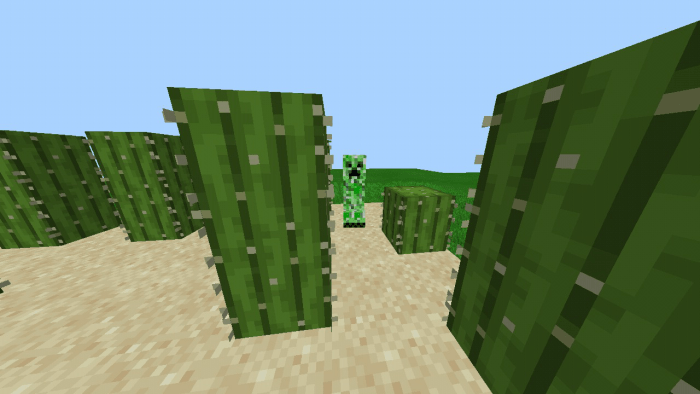
What if you are strolling around looking for something to, well look at, then you see a creeper, but don’t want to get too close, but in order to see him you have to get close, and do you really want to do that?
This is before:
If you get any closer he will explode! And you don’t want that to happen! There is a better way to do this! Get the zoom behavior! It will make looking at things far away much easier than having to make binoculars! (That is a seperate addon)
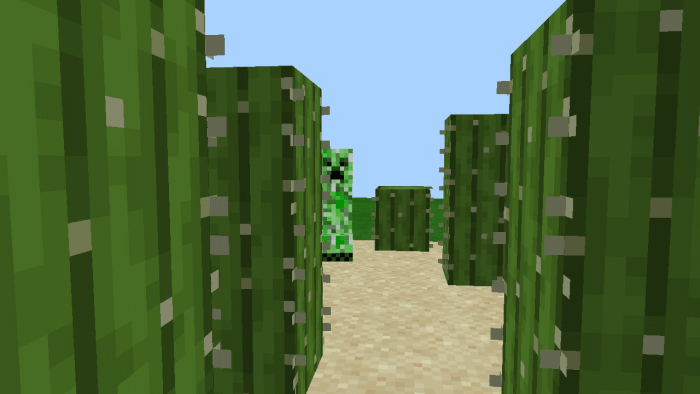
Now this is with zoom/after:
Much much better!
I hope this explains enough for you all! You can try it out for yourself if you don’t believe it’s this good!!
There are 2 ways you can activate the zoom; crouch with a stick or just crouch. Also, there are 2 zoom options, regular zoom and ultra zoom. Ultra zoom is what I used in the pictures.
Remember, if you find any bugs or glitches let me know and I’ll fix them!
How Is It Installed?
Download the file from the bottom. After you have downloaded files, tap on each one and it will automatically take you to your Minecraft, it will import the file into your game.
Then go to the world where you are going to use the downloaded addon: Edit the world> resource packs> (Activate the resource pack) and finally: Edit the world> behavior packs> (Activate the behavior pack)
This addon adds a total of 4 new shields with 3d models of different materials such as: diamond, iron, netherite and copper, the addon is available for Minecraft Bedrock.
Experimental Games
What is experimental game? Experimental games are options that minecraft gives to improve the gaming experience with the aim that the addons work correctly when used in their worlds, whether survival or creative. Having explained this, it is highly recommended that you activate the following experimental games.
As I said before, for the moment there will only be 4 shields
Iron Shield
Netherite Shield
Diamond Shield
Copper Shield
How Is It Installed?
Download the file from the bottom. After you have downloaded files, tap on each one and it will automatically take you to your Minecraft, it will import the file into your game.
Then go to the world where you are going to use the downloaded addon: Edit the world> resource packs> (Activate the resource pack) and finally: Edit the world> behavior packs> (Activate the behavior pack)
After you have downloaded the files, tap on each one and it will automatically take you to your Minecraft, it will import the file into your game.
Then go to the world where you are going to use the downloaded addon: Edit the world> resource packs> (Activate the resource pack) and finally: Edit the world> behavior packs> (Activate the behavior pack)
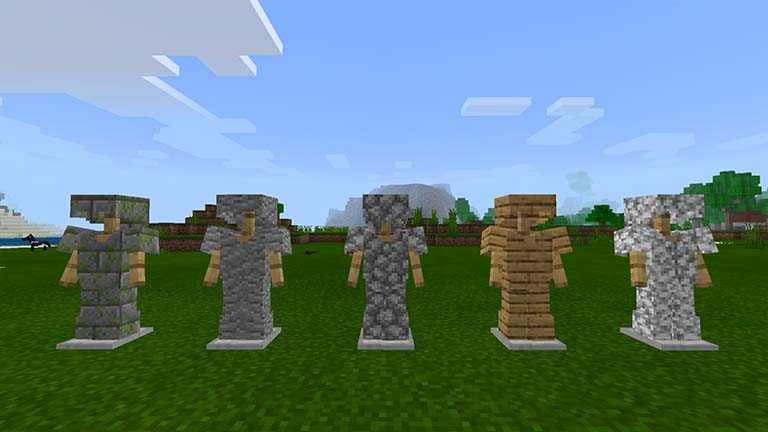
This is the first and the best armor addon for Minecraft Bedrock, we take advantage of the new code creation possibilities to be able to create these armors and have special functions according to their type, this is BETA 1 but we continue working to improve this addon.
How Does It Work?
At the moment it contains a total of 26 armors, all of them protect more, or less, depending on their material, the crafting of the armor is simple, but you can find everything on the crafting table in the armor section.
We have 5 special armors that have benefits of having them on:
Glowstone Armor
This allows us to illuminate wherever we go, you can go only with a garment, but if you have more glowstone garments it will illuminate you more and more.
Magma Armor
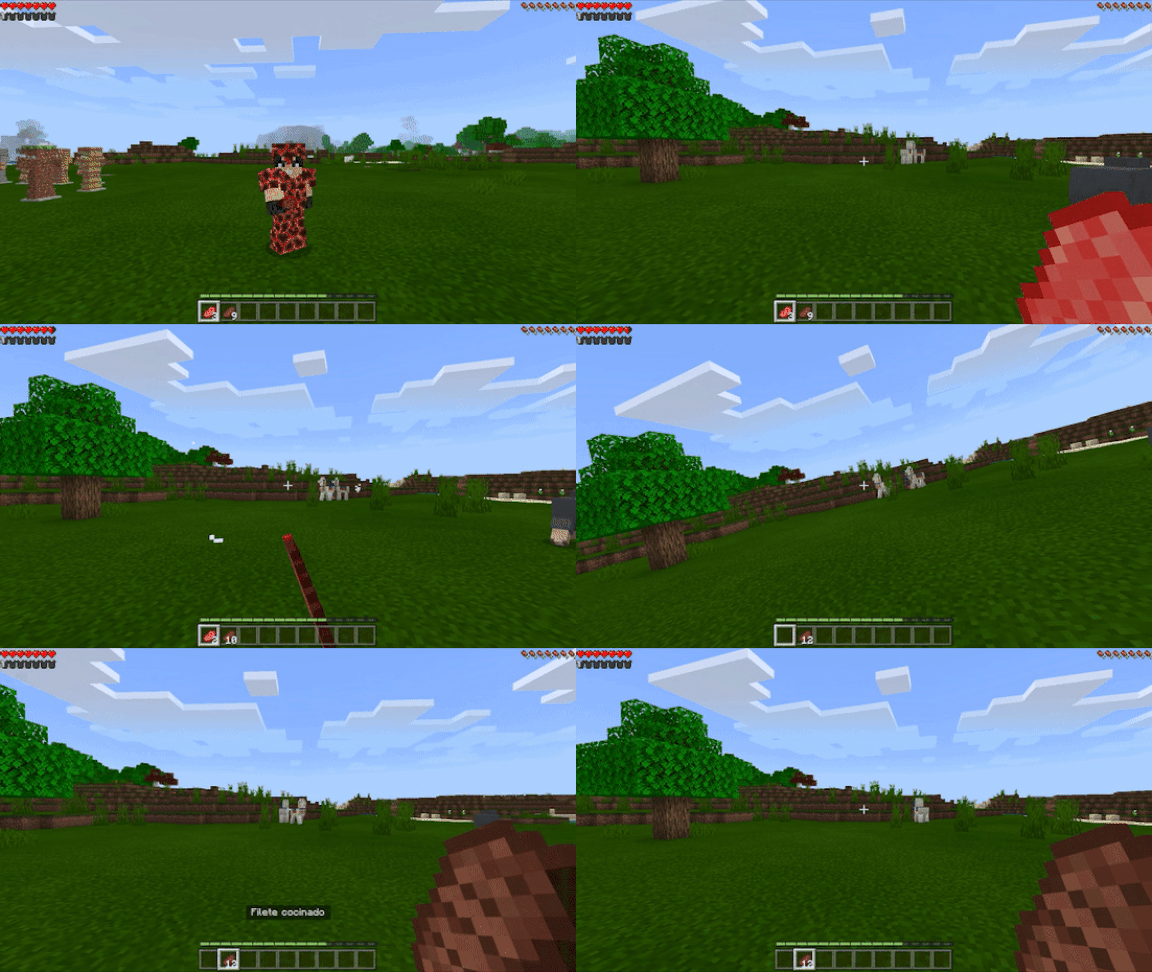
This armor allows us to cook raw food in hand, to do so you must have all the armor on and tap on the screen with the food in hand.
Wool Armor
This woolen armor allows us to sleep without the need for a bed, to sleep you must have all the woolen armor on, bend over and a button will appear that says “sleep”. In Windows 10 you crouch down and hold right click.
Slime Armor
This armor allows us to double jump and removes the damage from falling, you can fall from any height and you will not hurt yourself. (only works if you have all armor on).
Prismarine Armor
This armor allows us to breathe underwater and we will not drown at any time. (only works if you have all armor on).
Ice Armor
This armor allows us to walk on water. (only works if you have all armor on).
The following are complementary armor for the game, it should be noted that the armor that protects the most is weeping obsidian and it also has a very high durability.
The crafting of the armor can be found on the crafting table in the weapons section:
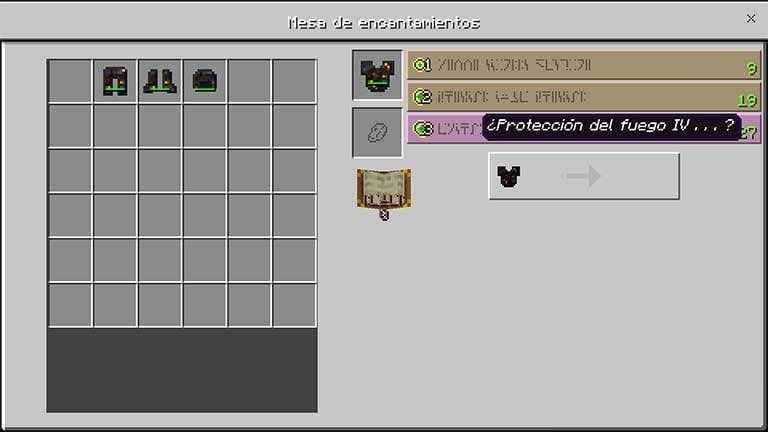
All armor can be enchanted on the enchantment table:
All the armor can be repaired on the anvil with the same block with which it is made:
If you find any bug feel free to comment on this post below.
Download the file from the bottom.After you have downloaded the files, tap on each one and it will automatically take you to your Minecraft, it will import the file into your game.
Then go to the world where you are going to use the downloaded addon: Edit the world> resource packs> (Activate the resource pack) and finally: Edit the world> behavior packs> (Activate the behavior pack)
This addon adds a new minerals, new swords, and some items that you use in the Minecraft world. Some additional items can be found all over the world and other items are handmade, more additional information goes down!
Mo swords add-on will add new swords, items and minerals
This addon will add:
Molten Sword
The Molten sword is made from molten ingot ore, the molten sword is a medium damage sword on MOBS.
Molten Hammer
Ender’s Sword
Ender Sword is a sword made with Ender Pearl, soon the sword will deal more damage to Ender Dragon.
Whiter sword
Wither Sword and a sword to fight against Wither Boss, the sword of 50 prey in Wither Boss and Minecraft Mobs
New features of the Whiter skelton, now it will give us diamond whiter and whiter bone*
Obsidian Ingot
Obsidian Ingot: Obsidian Ingot is a molten mineral of Obsidian, Obsidian Ingot will be used to make swords and other items.
Obsidian stick
Obsidian Stick: The Obsidian Stick is an item that will use two obsidian bars, the item is used to make some additional swords.
Obsidian sword
The obsidian sword is a very strong sword with increased durability and damage to Minecraft mobs.
Obsidian Hammer
New Ores
Molten Ore *
Adamant Pray *
Infinity Pray *
Adamant Sword
Adamant Sword: it is a sword made like the adamantine mineral that will be found in the Minecraft World, in the Nether and in The End.
Adamant Battle Hammer
Adamant Battle Hammer: It is a Battle Hammer made to face bosses, it is also a very strong battle team and with very strong damage.
Crystals
Blue Ore
Dark Ore
Red Pray
Pink Ore
Green Pray
Blue sword
Dark Sword
Red Sword
Pink Sword
Green sword
Blue sickle
Dark sickle
Red sickle
Pink sickle
Green sickle
Infinity stick
Infinity block
Infinity sword
Infinity blade
Infinity sickle
Infinity star
Infinity Crystal Star: Used to make more swords
Content Creators Swords
Texten Sword
Gregory’s sword
And also add a sword based on me:
You Will Find The New Ores Near The Surface
Use /give @s Ms: to view all additional items or collect items with the command
More content creator swords, new ores and swords to come.
How Is It Installed?
Download the file from the bottom.After you have downloaded the files, tap on each one and it will automatically take you to your Minecraft, it will import the file into your game.
Then go to the world where you are going to use the downloaded addon: Edit the world> resource packs> (Activate the resource pack) and finally: Edit the world> behavior packs> (Activate the behavior pack)