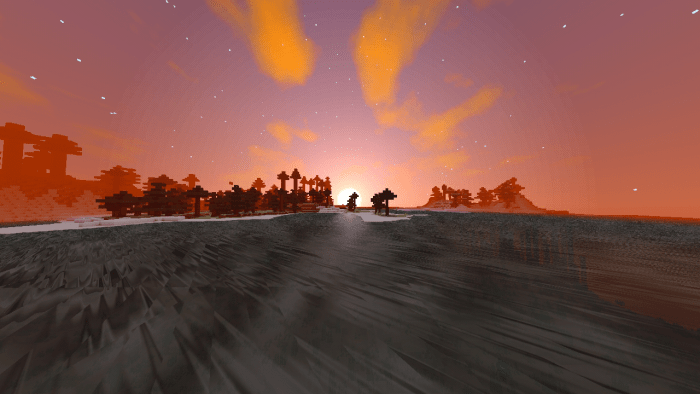
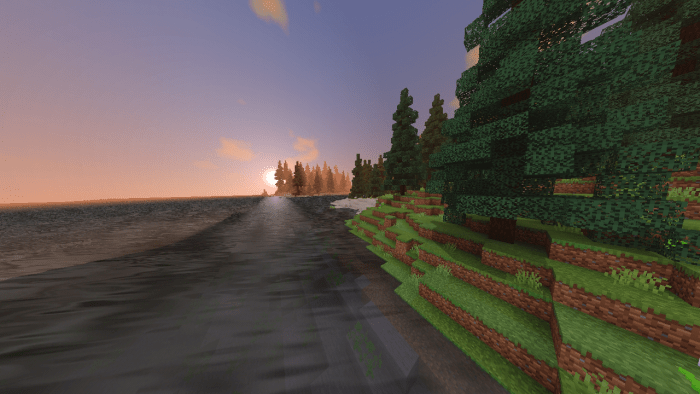
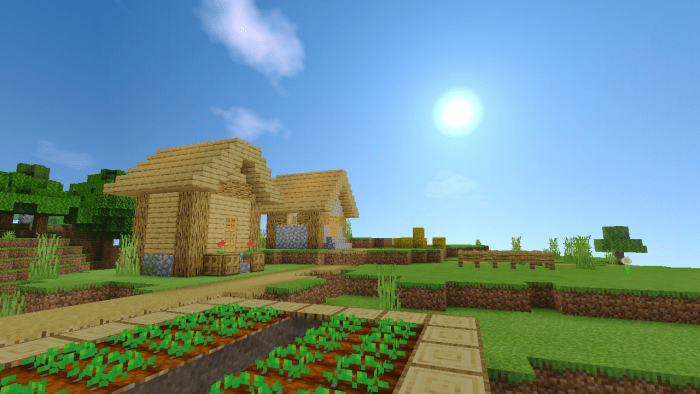
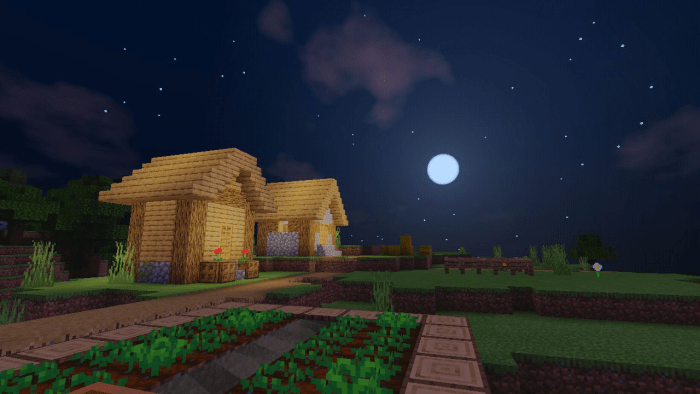
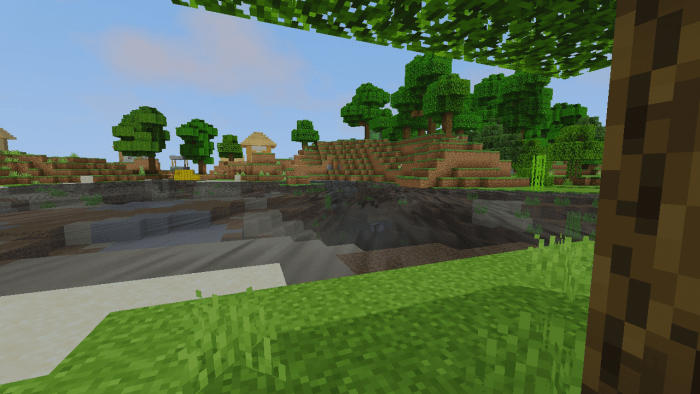
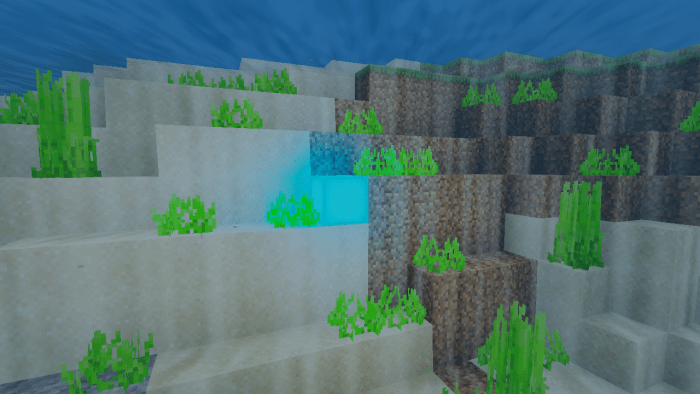
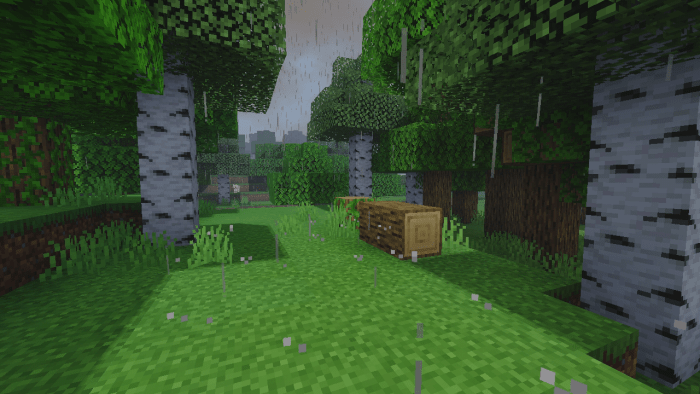
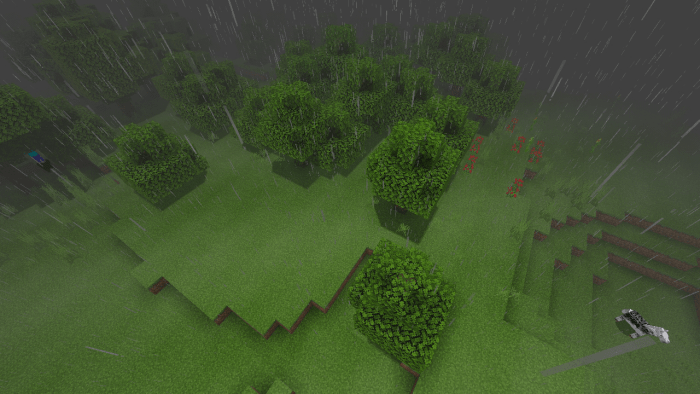
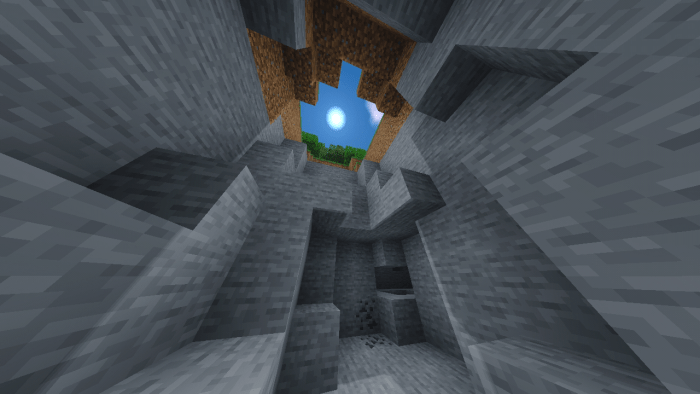
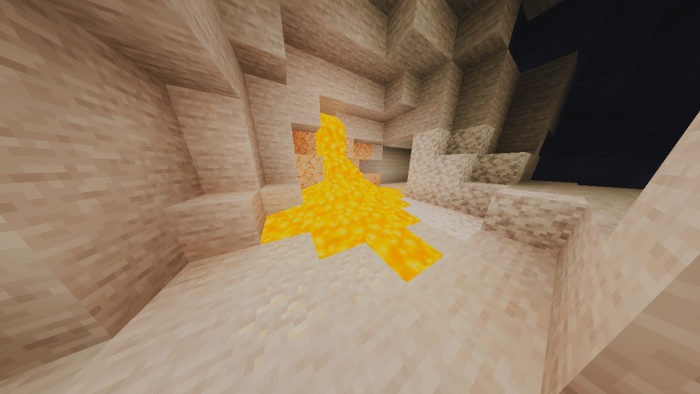
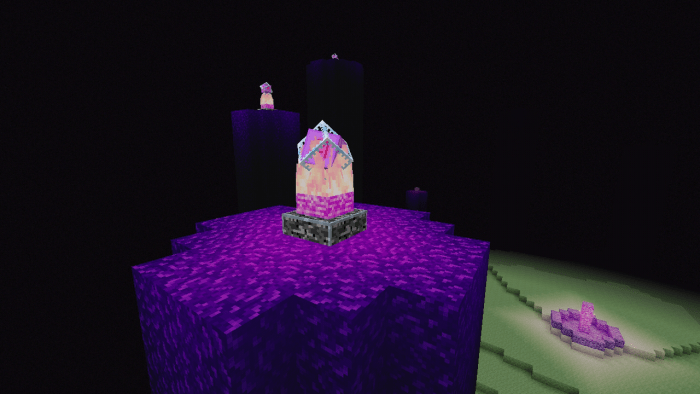
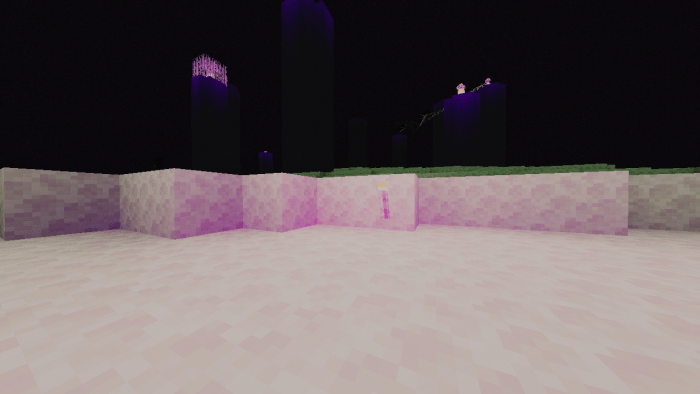
Sunrise shader a pack of resources that will change the Minecraft experience to the maximum with its incredible, realistic graphics and the best thing about this shader is its performance that you can run on low-resource phones 1GB ram – 2GB ram. Only compatible for android
Screenshots:
– Sunrise and sunset
– Day and night color
– Water and its depths
– Rain and its effect
– Cave
– Lighting at The end
Video:
Check out the official trailer to learn more about this shader. Also by watching this video you are helping me:
Help me with something any grain of sand is worth 🙂 : Paypal
How Is It Installed?
Download the file from the bottom. After you have downloaded files, tap on each one and it will automatically take you to your Minecraft, it will import the file into your game.
Then go to the world where you are going to use the downloaded addon: Edit the world> resource packs> (Activate the resource pack) and finally: Edit the world> behavior packs> (Activate the behavior pack)
Loled’s Texture is a realistic texture for Minecraft Bedrock Edition 1.16.221 Official and for beta versions
This is still an alpha version, so it’s normal that everything isn’t ready, in the next versions the texture will have 3D modeling in the entidates, in addition to new textures for more blocks and itemshttps://a28fbbc165294aad58d784483340b2ae.safeframe.googlesyndication.com/safeframe/1-0-38/html/container.html
Loled’s Texture, in addition to bringing new textures, also brings more realistic sounds to the game.
The texture also changes the game’s start screen.
Environment – Realistic clouds, sun and moon.
Especial Block. – 3D Bed. Hud: – Hotbar has no opacity and no classic button.
Hud: – New start screen. Texture: – Transparent water. – Texture of blocks and entities modified and saturated. – Detaileds tools. – Modified armor. – Optifine grass. Realistic sounds
Installation
Download the .mcpack file
Activate the texture in the global resources of the game And have fun
Resolution
X16
How Is It Installed?
Download the file from the bottom.
After you have downloaded the files, tap on each one and it will automatically take you to your Minecraft, it will import the file into your game.
Then go to the world where you are going to use the downloaded addon: Edit the world> resource packs> (Activate the resource pack) and finally: Edit the world> behavior packs> (Activate the behavior pack)
In this Minecraft Addon, Amplified Biomes frequently generate in the world.
Epic floating Islands and strange outcrops will immediately draw your attention as you enter these Biomes.
The custom extreme Biomes include Jungle, Dark Oak Forest, Flowering Forest, Desert, Forest, Ice Spikes, Mega Taiga, Savanna, and Mesa.
This addon adds 9 custom biomes that will generate in the world.
Have Fun Exploring the Unique Worlds that you create!
Jungle
Dark Oak Forest
Flowering Forest
Forest
Desert
Ice Spikes
Mega Taiga
Savanna
Mesa
These custom biomes will generate quite frequently in the world and do not override any vanilla biomes.
How Is It Installed?
Download the file from the bottom. After you have downloaded files, tap on each one and it will automatically take you to your Minecraft, it will import the file into your game.
Then go to the world where you are going to use the downloaded addon: Edit the world> resource packs> (Activate the resource pack) and finally: Edit the world> behavior packs> (Activate the behavior pack)
Hello! Minecraft friends, this Add-on is very useful for completing your Minecraft Projects, like adventure maps and etc. Using this add-on, will make your world more fantastic!
Better NPC add-on introduces different kinds of NPC with different animation and model.
Don’t worry cause this NPC is editable like the original Minecraft NPC, you can add text, command, change their skin and name, with 201 different skins to play!
Welcome to Better NPC!
Version: 1.1.2
What’s New?
Introducing: Chibi NPC with 10 different skins!
How to obtain?
This NPC can be found in “Creative Mode” inventory.
You can also summon the NPC in survival mode by typing this command.
example: /summon rio:npc_cute
How to delete them?
Do this with your own risk , you can also delete specific NPC if the it’s already given a name.
type this command: /kill @e[type=rio:npc_cute]
Question:
Why the old NPC’s was not included in this update?
Answer: Because I’m still fixing it and adding a feature , were the player will be able to delete it without typing a command.
NEWS: The old NPC’s will be back in the next fixed update , for now I need to add some helpful features in each of them.
How Is It Installed?
Download the file from the bottom. After you have downloaded files, tap on each one and it will automatically take you to your Minecraft, it will import the file into your game.
Then go to the world where you are going to use the downloaded addon: Edit the world> resource packs> (Activate the resource pack) and finally: Edit the world> behavior packs> (Activate the behavior pack)
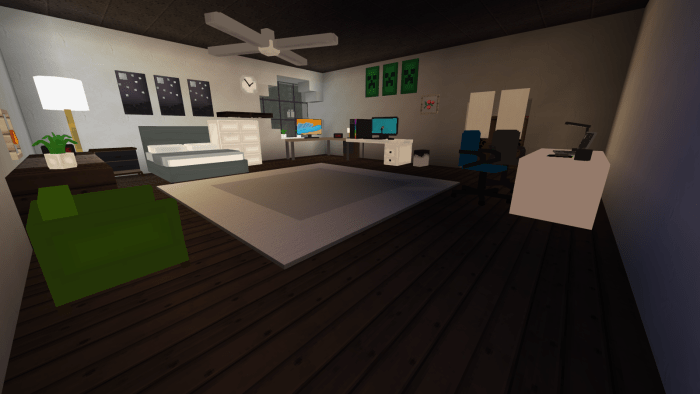
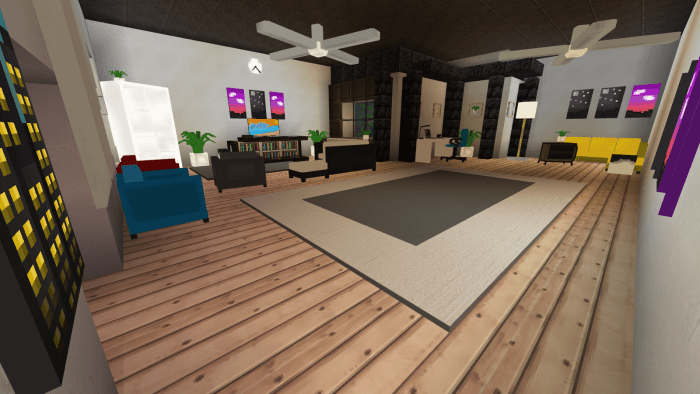
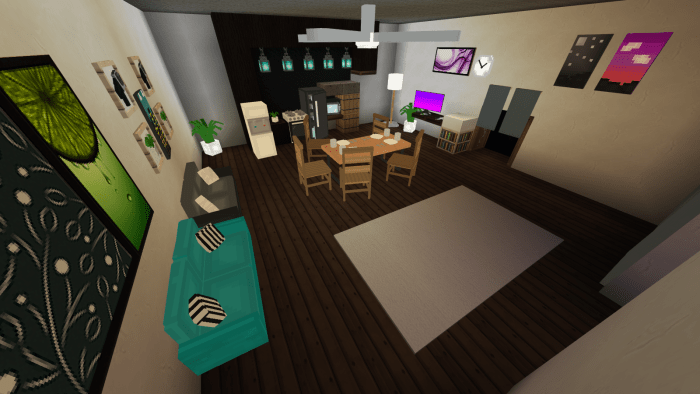
Screenfy’s Modern Furniture Pack (Survival Supported!)
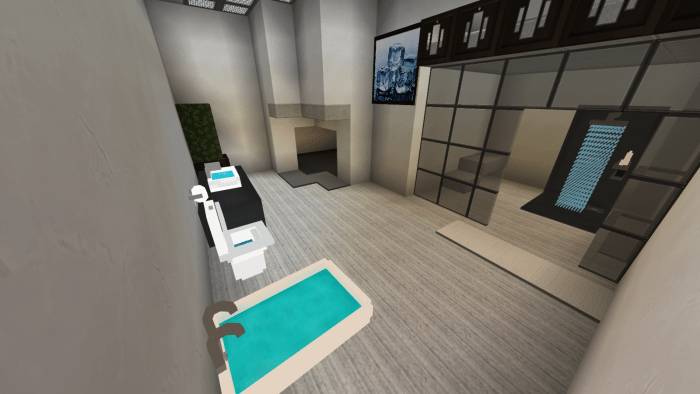
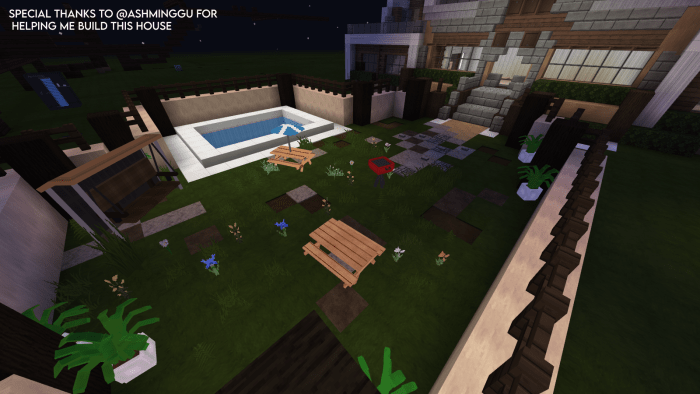
The sequel to the original pack, with improvised textures, even more detailed models,provides various choices to use and much more. This might be the best furniture pack in the century! Also, I added Modern in the title even though I don’t regard all of my furniture as modern cause everyone loves anything that has the word “Modern” in it, so lol.
This addon is exclusive for MCPEDL. Any other websites that distribute this addon without my approval are false and are an act of plagiarizing.
Add-on contents
This addon includes more than 20 furniture pieces
LIST OF FURNITURE PIECES INCLUDED (Updated)
• Bathtub •BBQ Grill •Two Variants of beds •Two variants of modern beds •One-Person Couch (Four colours) •Two-Person Couch (Three colours) •Corner couch (Two Colours) (More colours will be added) •Study Desk •Gaming Setup •Gaming Chair •Dining Chair •Dining Table •Digital Clock •Drawer •L Table •Fridge •Indoor Plant •Mini Indoor Plant •Lamp •Mini Lamp •Microphone •Modern Shower •Modern Sink •Office Chair (Two colours) •Picnic Table (One with and one without an umbrella) •Shelf •Stove •Toilet •Toilet Roll •Trash Bin •Monitor •Water Dispenser •Paintings (4 varieties) (More will be added soon) •Wall Clock •Modern Swing •Dumpster
How to obtain
Can be obtained through the creative inventory and also through commands. Example; /give @s sf:bbqgrill
Download the file from the bottom. After you have downloaded files, tap on each one and it will automatically take you to your Minecraft, it will import the file into your game.
Then go to the world where you are going to use the downloaded addon: Edit the world> resource packs> (Activate the resource pack) and finally: Edit the world> behavior packs> (Activate the behavior pack)
Ever wanted to pick up a mob or player and move it to another location? With this add-on you can do it without any commands, right in survival! It also works in multiplayer!
This addon allows you to pick up any mobs or players and carry them anywhere without any commands.
You can pick up a mob or player only if you are standing on the ground and not moving. Also, you should not have items in both hands. And you shouldn’t be in the water. Only in this case you can pick up a mob / player.
When you carry a mob / player, you have to move neatly. If the mob is submerged in water, it will fall out of your hands. If you start falling from a height, then after flying 2 blocks, it will fall out of your hands. If you take any item in your hand, the mob will also fall out of your hands.
How to use:
To pick up a mob or player, get as close to it as possible, look at it, then sneak and jump at the same time.
To release a mob or player, sneak and jump at the same time.
You can carry any mob:
The view from the 1st person is excellent:
You can carry players:
1st person view:
What the one who is being carried sees:
How to use:
To pick up a mob or player, get as close to it as possible, look at it, then sneak and jump at the same time.
To release a mob or player, sneak and jump at the same time.
Notes:
This addon only works on version 1.16.100 and above. If your version of minecraft is lower (1.16.5 \ 1.16.4 \ 1.16.0) this addon will not work!
This addon does not require any experimental world options to be enabled!
This addon works great in multiplayer!
Is this addon compatible with other addons?
This icon in the name of an addon means that this addon is not compatible with most addons from other creators. Also, all my add-ons with this icon are not compatible with each other.
How Is It Installed?
Download the file from the bottom. After you have downloaded files, tap on each one and it will automatically take you to your Minecraft, it will import the file into your game.
Then go to the world where you are going to use the downloaded addon: Edit the world> resource packs> (Activate the resource pack) and finally: Edit the world> behavior packs> (Activate the behavior pack)
This texture pack improves both the static and walking animations of the iron golem to give them a more detailed and more entertaining finish to see in your minecraft world
This texture pack is compatible with other textures that modify the iron golem, the texture IS NOT COMPATIBLE with modified models, because the texture pack modifies the original iron golem model, so in the case of using a modified model, the animation does not it will reproduce correctlyhttps://299c6d5c044922ed2a86bdb8362aa2f3.safeframe.googlesyndication.com/safeframe/1-0-38/html/container.html
here you can see a preview of the walking animation
the new model has very noticeable flexible capabilities to be able to have better animations
How Is It Installed?
Download the file from the bottom. After you have downloaded files, tap on each one and it will automatically take you to your Minecraft, it will import the file into your game.
Then go to the world where you are going to use the downloaded addon: Edit the world> resource packs> (Activate the resource pack).
This texture pack improves the animations of the villagers giving a more realistic and complete effect than the original mojang animations given by default
this improves the walking animation:https://44ceb6a4502d5f65013b66f43e14080b.safeframe.googlesyndication.com/safeframe/1-0-38/html/container.html
How Is It Installed?
Download the file from the bottom. After you have downloaded files, tap on each one and it will automatically take you to your Minecraft, it will import the file into your game.
Then go to the world where you are going to use the downloaded addon: Edit the world> resource packs> (Activate the resource pack).
This texture pack improves the animations of the ravager to more articulated and animated animations to give a new look to your minecraft, this testure pack improves the animations of:https://1e0c11a629a678c186ec62ba96dfc8b8.safeframe.googlesyndication.com/safeframe/1-0-38/html/container.html
-Move
-stunned
-Attack
you can set this texture pack both to default for you and to a world for your friends to see
This texture pack supports new textures for the ravager but does not support custom models
ANIMATIONS INFORMATIONS:
The walk animation plays when the ravager chases a player, villager, iron golem, etc. that’s because the ravager plays the walking animation very slowly when not having a target
You can make the stunned animation play when blocking a ravager’s attack with a shield.
How Is It Installed?
Download the file from the bottom. After you have downloaded files, tap on each one and it will automatically take you to your Minecraft, it will import the file into your game.
Then go to the world where you are going to use the downloaded addon: Edit the world> resource packs> (Activate the resource pack).
Didn’t you like the first person in the original? Did you hate the fact that you couldn’t see the player’s legs in the first person? This texture pack will suit your needshttps://bcd0076f103c14237edb55abaaa708ac.safeframe.googlesyndication.com/safeframe/1-0-38/html/container.html
I changed the first person animation of the original to make it more realistic
There are now more realistic weapon animations in the first person
There are now more realistic weapon animations in the first person
sword,axe,pickaxe,hoe,shovel and shield
bow,crossbow and trident
more first person animation
ride
swim
glide
How Is It Installed?
Download the file from the bottom. After you have downloaded files, tap on each one and it will automatically take you to your Minecraft, it will import the file into your game.
Then go to the world where you are going to use the downloaded addon: Edit the world> resource packs> (Activate the resource pack).