Do you want to see the splash effect in the 1.18 trailer in the game? This Add-on adds a similar effect to the splash effect of the trailer! CAUTION: Can stop working if too many mobs fall into the water at the same time.
When you apply add-on and open the map, you have to enter /function start and wait for 1 to appear in the chat window. If 1 appears in the chat window, the setting is all done.
Caution: The /function start command should be used only once.
In order for the splash effect to appear, it must fall from about 3~4 blocks high toward the water.
(Splash effect)
(Lava Splash effect)
bugs can occur in multi-play.
Lava Splash only applies to players and some mobs.
Known bug : Addon is not working in nether dimension
Download the file from the bottom. After you have downloaded files, tap on each one and it will automatically take you to your Minecraft, it will import the file into your game.
Then go to the world where you are going to use the downloaded addon: Edit the world> resource packs> (Activate the resource pack) and finally: Edit the world> behavior packs> (Activate the behavior pack)
Cape Physics Minecraft capes are one of the first cosmetics in the game starting from humble beginnings, such as the Minecon 2011 to fully customizable capes for both the Java Edition and the Bedrock Edition versions of Minecraft.Customizable capes in Minecraft are fairly common nowadays, harboring multiple designs that make them all unique. There was only one thing that you could change to a cape, and that being customization, but what if there was another. A couple of days after Badlion Clients release, they made an update to capes, one of the features “Dynamic Curved” where your cape would look like it’s waving in the wind as to move.
Cape Physics is an add-on that replaces the stiff cape animations with an animation that will allow your cape to flow freely.
There are 17 parts to the cape with a powerful animation behind it to make it flow perfectly. This pack also works with normal capes along with Xatalyst’s Badlion Cloaks and Cosmetic Mod V2 packs.
Shoulders
Just like Badlion Client this pack also allows you to toggle shoulder pieces that go on each side of your character adding a better look to your cape along with the wave.
?nbsp;
The pack additionally comes with Cosmetic Mixer V19 and above support, full server compatibility, realm support, and this pack will apply to everyone.
TERMS OF USE:
Please do not claim you made it or make another download link/make profit via the new download link.
Download the file from the bottom. After you have downloaded files, tap on each one and it will automatically take you to your Minecraft, it will import the file into your game.
Then go to the world where you are going to use the downloaded addon: Edit the world> resource packs> (Activate the resource pack) and finally: Edit the world> behavior packs> (Activate the behavior pack)
Now it will be easier to store your experience levels without worrying about losing them when you die now you will have new tools to save your levels more easily
We are a team of addons for minecraft bedrock and the only way to monetize our content is to respect the download links
Join my official discord:https://discord.gg/2mJzEN6f4h
To start you need to create the experience book below you have the recipe
Once the experience book is obtained, you need an experience level greater than 5, otherwise it will not let you store your levels if your experience level is already greater than 5, you just have to interact with the book either by holding down the screen your phone or by pressing the right mouse button on a computer
The book can only reach a maximum of 30 levels stored apart from there you can no longer store more levels
Once your book has levels saved, we need to move them into experience storage to get the recipe below
Now with the book interact with the storage of experience in phones a button will appear and in computer just right click with the mouse directly to the chest
Now to recover the levels you just have to interact with your hand and the levels will be given back to the player
PREVIEW
How Is It Installed?
Download the file from the bottom. After you have downloaded files, tap on each one and it will automatically take you to your Minecraft, it will import the file into your game.
Then go to the world where you are going to use the downloaded addon: Edit the world> resource packs> (Activate the resource pack) and finally: Edit the world> behavior packs> (Activate the behavior pack)
Update Changelog
Now experience storage is not broken by a single click.
This addon adds sleeping bags the same as the java mod, its use is more for multiplayer if one person sleeps it will be daylight regardless of the others not, it is quite useful and it is also compatible with any addon, I hope you like it.
Experimental Game
This is a section before creating the world that allows better functioning of the addons in the world and a better game experience when playing with addons, we recommend that you activate the following options to play with this addon.
Function
To use the sleeping bags you have to put them on the ground and right click them if you are in win 10 and if you are on mobile you must interact with the block as if it were a crafting table and then you can sleep in the bag
Recipes
This is the most common sack, it is crafted in this way, the rest of the sacks are crafted in the same way, only with a different color of wool.
They have a total of 16 colors to choose from, as I said before, they are crafted in the same way as the previous example, only varying the colors of the wool.
Video
How Is It Installed?
Download the file from the bottom. After you have downloaded files, tap on each one and it will automatically take you to your Minecraft, it will import the file into your game.
Then go to the world where you are going to use the downloaded addon: Edit the world> resource packs> (Activate the resource pack) and finally: Edit the world> behavior packs> (Activate the behavior pack)
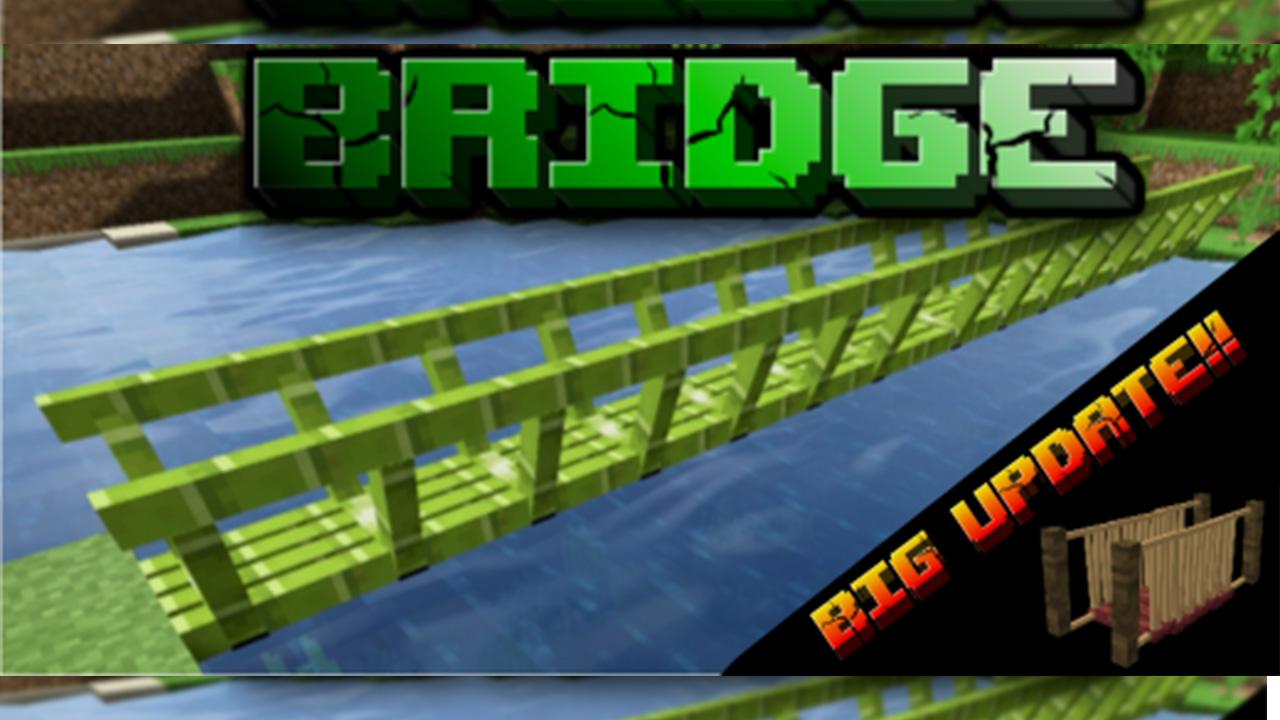
You can build your own bridge, as long as you want out of this.
You can walk over the bridge or just use it for decoration.
It is a nice thing for every world.
About the Addon:
This Addon ads 13 Bridges to your world. Nine of them are wood bridges, which are made out of two different parts, an end part and a middle part.
Four of the Bridges are made out of one part, which you can use for every part of the bridge.
Wood Bridges:
1)Oak Bridge
2)Dark Oak Bridge
3)Spruce Bridge
4)Birch Bridge
5)Acacia Bridge
6)Jungle Bridge
7)Mangrove Bridge
8)Warped Bridge
9)Crimson Bridge
Other Bridges:
1)Bamboo Bridge
2)Brick Bridge
3)Stone Bridge
4)Metal Bridge
How to get the Bridges:
Command
/function all_bridges
Crafting
You can craft the Bridges with following recipes
Hope you enjoy the Addon
You are allowed to:
Record as many videos about the addon as you want or just play and have fun. (But don’t forget to give me credit)
You are not allowed to:
Publish the addon as your own
Reuse any of my textures, models or sound files
Create your own links and make profit of it
(Always use the link to this page when sharing)
How Is It Installed?
Download the file from the bottom. After you have downloaded files, tap on each one and it will automatically take you to your Minecraft, it will import the file into your game.
Then go to the world where you are going to use the downloaded addon: Edit the world> resource packs> (Activate the resource pack) and finally: Edit the world> behavior packs> (Activate the behavior pack)
This is a simple addon that is made for multiplayer world owners to lessen griefing in their world. Other players can not destroy the blocks that you placed and vice versa.
This addon is still in development so far the addon works as intended and I would like to hear your suggestions and opinions.
How To Use:
To use this addon just put it inside your world and it would work. As describe above other people can not destroy the blocks the you placed and vice versa but this has limitations. Other players can destroy certain blocks like TNT, chest and other container blocks (blocks that can store items, except ender chest). This is due to the limitations of the current bedrock scripting.
The blocks that you placed is also explosion proof.
Sadly, you can’t break your own blocks by exploding them.
Players can still access your chest and interact with your blocks so beware of that.
This addon also contains commands.
These are the commands that you can use, some of them require an “op” tag in order to use them.
op tag: /tag @s add op
!bp remove (This removes the protection of your blocks)
!bp removeall (This removes the protection of the blocks of all the players, this requires the “op” tag)
!bp history (This shows your blocks that are protected)
If you are going to remove this addon from your world I suggest doing “!bp removeall” first.
Reminder:
You are not allowed to repost this resource/addon outside of MCPEDL without my permission. You are not allowed to create your own download link. You are not allowed to share the direct link. Feel free to make videos just credit.
Installation
Requires experimental settings
Update Changelong
Compatibility with new versions 1.18+.
Fixed bug in models.
New Roaster model.
Fixed other small bugs.
How Is It Installed?
Download the file from the bottom. After you have downloaded files, tap on each one and it will automatically take you to your Minecraft, it will import the file into your game.
Then go to the world where you are going to use the downloaded addon: Edit the world> resource packs> (Activate the resource pack) and finally: Edit the world> behavior packs> (Activate the behavior pack)
Roast your Mobs adds a roaster that allows you to roast your animals over the fire, roasting them will give you more cooked meat and is fun to watch. Enjoy it 😀
Important notes
reason it could cause bugs when used with other addons that also modify vanilla mobs (more specifically the cow, pig, sheep, chicken and rabbit)
Roaster
Roaster allows you to roast your animals over the fire, roasting them will give you more cooked meat. You can roast the cow, pig, sheep, rabbit and chicken
You can find the crafting in your inventory on the crafting table.
Update Changelong
Compatibility with new versions 1.18+.
Fixed bug in models.
New Roaster model.
Fixed other small bugs.
How Is It Installed?
Download the file from the bottom. After you have downloaded files, tap on each one and it will automatically take you to your Minecraft, it will import the file into your game.
Then go to the world where you are going to use the downloaded addon: Edit the world> resource packs> (Activate the resource pack) and finally: Edit the world> behavior packs> (Activate the behavior pack)
This add-on is trying to make the explosions in your world more realistic changing the physics of them.Custom blocks are allowed but their will not get textures as “IMPACTED BLOCK”
– Warning –
Once you turn on this addon the explosions in your world will change
Experiments:
-Gametest Framework [TURN ON]
-Holiday Creator Features [Turn on]
-Experimental Molang Features [TURN ON]
–Gameplay–
– KNOWLEDGE –
An impacted block is the entity that will be thrown once an explosion success. They save the current block states even if it’s a custom block
Once an impacted block hits the ground it’ll become into its respective block again (With the same block states)
-The explosion needs to cause 2 impacted blocks as minimum to work.
If a block is not allowed (see the black list) the explosion doesn’t generate an Impacted block. It’ll simply be destroyed as usual (This also applies if the explosion doesn’t impact more than 1 block)
-There are Vanilla blocks that aren’t allowed in this add-on
–Custom blocks are allowed but will not have a texture as an impacted block
–works with any source of explosion even if it is from another addon (Creepers, TNT,TNT MINECART, FIREBALLS, WITHER SKULLS,ETC)https://youtube.com/embed//jFdKHN3QJKMhttps://youtube.com/embed//SAf80Wmm0PIhttps://youtube.com/embed//PFfpzAmp-ew
-Attention-
As y’all know there’s a lot of blocks in Minecraft that means there’s possibility that I’ve not noticed of any block, if you see any block that have no texture lemme know
This Addon is a gift for@_SASALELE
How Is It Installed?
Download the file from the bottom. After you have downloaded files, tap on each one and it will automatically take you to your Minecraft, it will import the file into your game.
Then go to the world where you are going to use the downloaded addon: Edit the world> resource packs> (Activate the resource pack) and finally: Edit the world> behavior packs> (Activate the behavior pack)
Are your chests messy and never bothered to organize them because it is too much of a task? Are you looking for an easy way to organize your items? This addon is just for you!
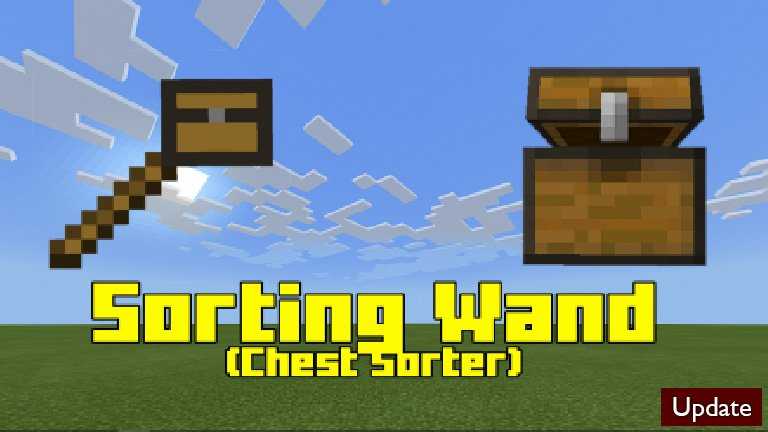
With the new item called the Sorting Wand you can organize your chest easily! With 1 click/tap of this wand your chest will turn from this
to this!
It is easy to craft the wand.
Sorting Wand:
How To Use:
Shift/Crouch while holding the Sorting Wand and right click/tap on a chest.
Does not work with consoles, but you can join other worlds on other devices that have this addon.
How Is It Installed?
Download the file from the bottom. After you have downloaded files, tap on each one and it will automatically take you to your Minecraft, it will import the file into your game.
Then go to the world where you are going to use the downloaded addon: Edit the world> resource packs> (Activate the resource pack) and finally: Edit the world> behavior packs> (Activate the behavior pack)
Update Changelog
Warning texts moved to actionbar instead of appearing in the chat box.
updated some code
Sorting wand now appears in the creative inventory
This addon adds a total of 4 new shields with 3d models of different materials such as: diamond, iron, netherite and copper, the addon is available for Minecraft Bedrock.
Experimental Games
What is experimental game? Experimental games are options that minecraft gives to improve the gaming experience with the aim that the addons work correctly when used in their worlds, whether survival or creative. Having explained this, it is highly recommended that you activate the following experimental games.
As I said before, for the moment there will only be 4 shields
Iron Shield
Netherite Shield
Diamond Shield
Copper Shield
How Is It Installed?
Download the file from the bottom. After you have downloaded files, tap on each one and it will automatically take you to your Minecraft, it will import the file into your game.
Then go to the world where you are going to use the downloaded addon: Edit the world> resource packs> (Activate the resource pack) and finally: Edit the world> behavior packs> (Activate the behavior pack)